Notion AI — Complete AI Tool Review
Most AI writing tools share a fundamental limitation: they know nothing about your business. Every conversation starts from scratch. You paste context, explain your company, describe your project, and then the AI generates something generically useful. The process works but it’s inefficient, the output lacks genuine company-specific relevance, and the AI forgets everything when you close the chat.
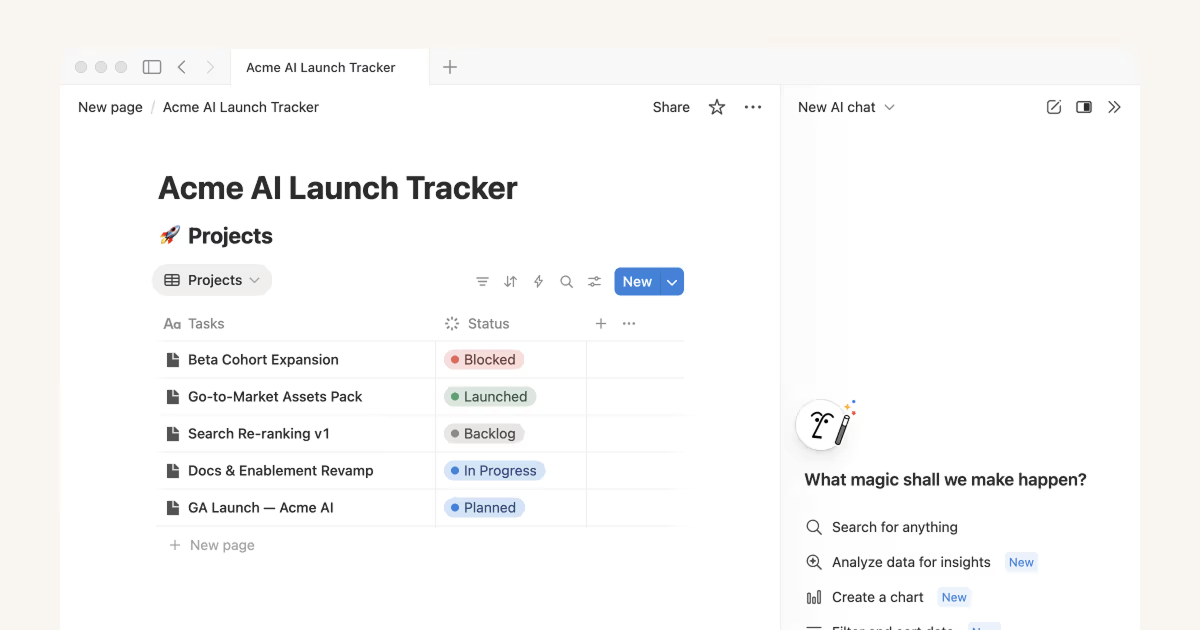
Notion AI fundamentally changes this model by embedding AI directly into the workspace where your work lives. When you ask Notion AI a question, it searches your workspace — every page, every database, every meeting note you’ve ever created — to find and synthesize the most relevant information. It doesn’t search the internet for generic answers; it searches your company’s specific knowledge. The AI assistant that knows your team’s decisions, your project documentation, your policies, your CRM notes, your customer history — all of it, accessible instantly in natural language.
Notion AI — Every Feature Explained in Detail
- Workspace Q&A (The Defining Feature): Ask Notion AI any question about your company’s documented knowledge and it searches your entire accessible workspace to find and synthesize the answer. Practical examples of what this enables: ‘What was decided in last month’s product strategy meeting?’ — AI finds the relevant meeting note and summarizes the decisions. ‘What is our standard process for onboarding a new enterprise customer?’ — AI finds and presents the onboarding documentation. ‘Who is our main contact at Salesforce and what did we discuss in our last meeting?’ — AI finds the account record and most recent meeting notes. ‘What were the main objections raised in last week’s sales calls?’ — AI synthesizes relevant call notes or Fireflies transcripts stored in Notion. This Q&A capability transforms Notion from a document repository into organizational memory that every team member can query instantly.
- AI Writing Assistant: Available in every Notion page via the slash command or AI prompt button, the writing assistant drafts, edits, expands, condenses, and transforms text on demand. Generate a complete first draft of any document from bullet point notes. Fix grammar, improve clarity, or change tone of existing writing with a single click. Expand a brief outline into a full document structure. Condense a lengthy document into a shorter version. Translate content into other languages. Explain complex technical content in simpler language for different audiences. Unlike standalone AI writing tools, Notion’s assistant can reference other pages in your workspace for context — ask it to write a sales proposal and it can reference your pricing documentation, case studies, and client history stored in connected Notion pages.
- Database Autofill (Transformative for Operations): For any Notion database — project tracker, CRM, content calendar, meeting log, employee directory, bug tracker — AI can automatically populate properties based on page content. Import a meeting transcript: AI extracts meeting title, date, attendees, key decisions, action items (with owners and deadlines), follow-up questions, and sentiment. Import a customer feedback document: AI categorizes each piece of feedback by feature area, priority level, customer segment, and sentiment. Import a job application: AI extracts candidate name, experience level, key skills, and location and populates the recruitment database. This capability eliminates the manual tagging and categorization work that consumes hours of time in organizations managing large knowledge bases.
- Action Item Extraction: Paste any meeting transcript, email thread, or set of notes into a Notion page and ask the AI to extract action items. It identifies every commitment, task, follow-up, and decision with impressive accuracy — recognizing both explicit (‘I’ll send the proposal by Friday’) and implicit (‘We need to review the contract before the call next Tuesday’) action language. Action items are extracted as a structured list with owner names where mentioned and deadline dates where specified. These can be manually converted to Notion tasks or, with automation setup, automatically added to a task database. Post-meeting processing time reduced from 20–30 minutes to under 2 minutes.
- AI Summarization: Summarize any document, page collection, or database at any level of detail. Summarize a complete project folder into a 1-page status update. Condense a 60-minute meeting transcript into 5 key takeaways. Generate a weekly rollup of all updates across a project workspace. Create executive summaries of lengthy research documents. For teams managing large Notion workspaces where staying current on all documentation is impossible, AI summarization makes the knowledge accessible without requiring everyone to read everything.
- Custom AI Templates and Prompt Library: Build reusable AI prompt templates for recurring document types that your team creates regularly. A weekly status update template that pulls from the project database and summarizes recent completions and blockers. A client meeting prep template that references the account history and previous meeting notes. A performance review template that incorporates the employee’s goal history. Save these templates to a shared workspace location and every team member can use AI-accelerated document creation with one click.
- Notion AI in Databases (Fill-From-Page): For any database with an associated page, Notion AI can populate fields by reading the page content. This enables powerful workflows: add a new tool to your AI tools database and Notion AI fills in Description, Category, Key Features, and Pricing by reading the connected review page you wrote. Add a new employee record and AI fills Department, Manager, Start Date, and Skills by reading the onboarding document. The fill-from-page capability turns any connected page-database combination into an automatically populated structured record.
Notion AI Pricing and Plan Context
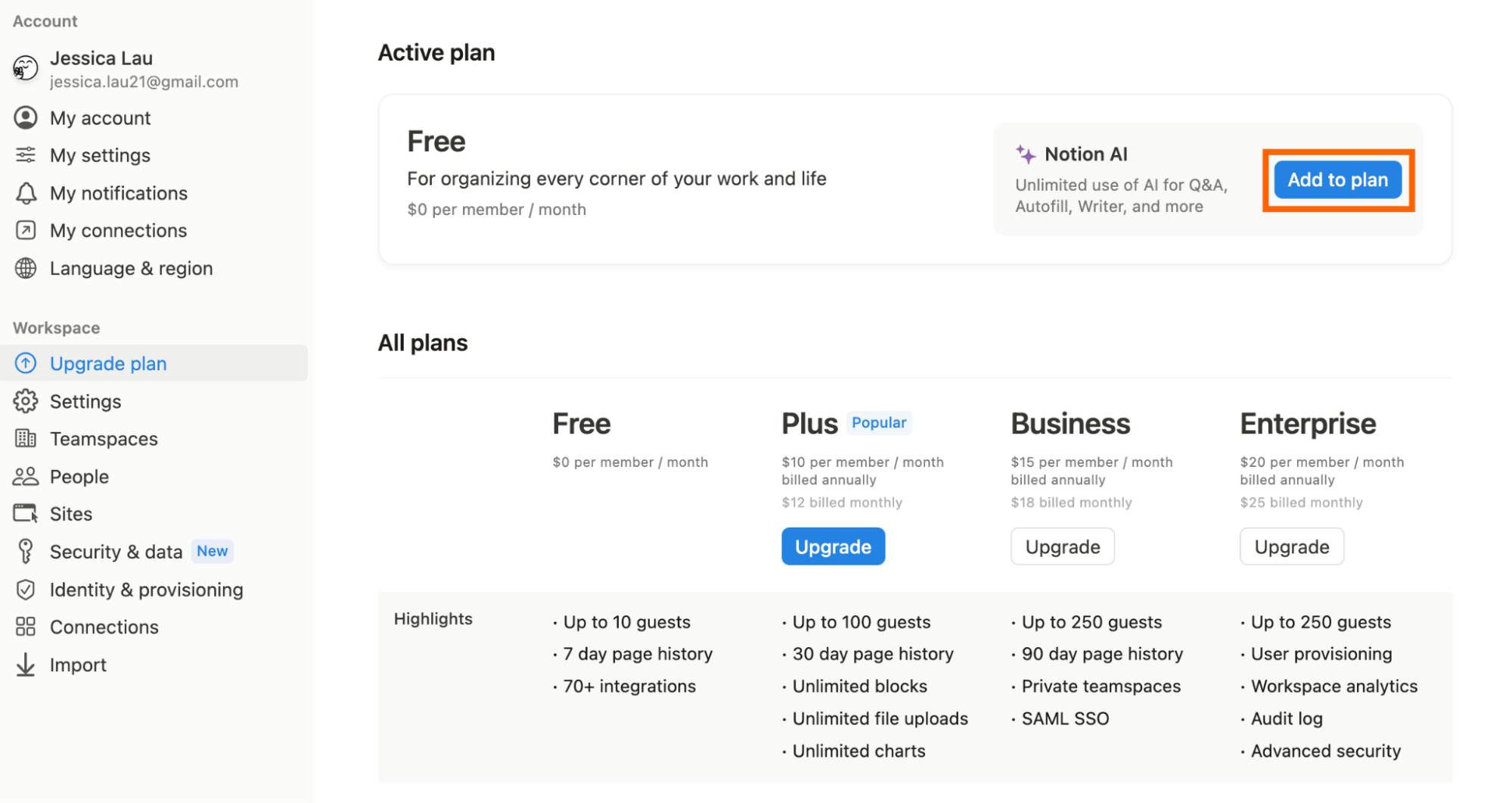
Notion AI is a $10/member/month add-on applied to any Notion subscription tier. Notion base plans: Free (personal use only), Plus ($10/month or $8/month annually), Business ($18/month or $15/month annually), Enterprise (custom). A team of 10 on Notion Business + AI would pay $28/member/month = $280/month total. For most businesses with existing Notion subscriptions, adding the $10/member AI upgrade is a straightforward decision — the Q&A and meeting action item extraction features alone typically deliver 30–60 minutes of time savings per team member per week.
Notion AI vs Microsoft 365 Copilot — Key Differences
Microsoft 365 Copilot ($30/user/month add-on) integrates with Word, Excel, PowerPoint, Outlook, and Teams — the full Office suite. Notion AI integrates with Notion’s flexible wiki and database structure. For organizations using Microsoft 365 as their primary work platform, Copilot is the natural AI layer. For startups, tech companies, and teams using Notion as their primary knowledge and project management hub, Notion AI delivers superior results within its ecosystem. The key differentiator: Notion’s flexible database structure makes Autofill and structured data extraction meaningfully more powerful than equivalent Word document scenarios in Copilot.