ClickUp AI — Complete AI Tool Review
ClickUp’s ambition is explicit in its product vision: to replace every productivity app in your tech stack with a single platform. Tasks, docs, spreadsheets, whiteboards, chat, goals, time tracking, automation — all native to ClickUp, all sharing the same data model, all accessible from one interface. For businesses currently paying for Asana (project management) + Notion (documentation) + Slack (communication) + Google Sheets (tracking), ClickUp offers a meaningful consolidation opportunity with significant cost savings.
ClickUp AI, available as a $5/member/month add-on, embeds artificial intelligence throughout every part of the platform. In Tasks: AI generates complete task descriptions from a title, suggests subtasks, and estimates time requirements. In Docs: AI drafts documents, summarizes pages, and translates content. In Comments: AI summarizes long discussion threads. In Dashboards: AI explains metric trends in plain English. The breadth of AI application reflects the platform’s all-in-one philosophy — rather than one powerful AI feature, ClickUp AI provides assistance wherever you’re working within the platform.
ClickUp AI — Complete Feature Breakdown
- AI Task Generation from Natural Language: Describe a project goal in plain English and ClickUp AI generates a complete task breakdown: individual tasks with detailed descriptions, subtasks within each task, suggested assignees based on team roles if workspace is configured, estimated time requirements, recommended priority levels, and proposed due dates based on complexity and dependencies. A project manager can go from ‘launch new customer onboarding program by Q3’ to a structured task hierarchy with 20–40 individual action items in under 2 minutes. This single feature typically saves 2–4 hours per project kick-off across all team members.
- AI Document Drafting: Generate first drafts of any document type directly in ClickUp Docs: project briefs, SOPs, meeting agendas, requirements documents, team handbooks, client proposals, and process documentation. The AI understands document structure and generates appropriately formatted content with headings, sections, and professional language. Particularly powerful when used in combination with workspace context — ask ClickUp AI to write a project brief and it can reference the connected project’s tasks, goals, and team assignments to produce contextually relevant content.
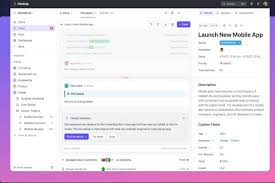
- Thread and Comment Summarization: As projects scale, comment threads on tasks accumulate lengthy discussions that take significant time to catch up on. ClickUp AI summarizes any comment thread to a concise paragraph capturing the key points, decisions made, and current status — regardless of thread length. Team members joining a project mid-stream can understand the context of any task in seconds rather than reading through dozens of comments. Status updates and standup preparation become dramatically faster.
- AI Writing Assistance in Docs: Embedded throughout ClickUp Docs, the AI writing assistant provides: grammar and style improvement, tone adjustment (formal/casual/technical), content expansion of brief outlines into full sections, content condensation of lengthy text, translation into 10+ languages, explanation simplification for different audiences, and continuation of partially written content. Unlike standalone AI writing tools, ClickUp’s assistant operates within the context of the connected project — producing output that’s aware of the project’s goals, timeline, and team structure.
- AI Priority and Focus Assistance: Ask ClickUp AI which tasks to focus on today and it analyzes your task list considering due dates, priority levels, time estimates, and project dependencies to recommend a prioritized daily work plan. This ‘what should I work on?’ question — which takes significant cognitive overhead to answer manually each morning — is answered in seconds with specific, reasoned recommendations. For team leads managing multiple parallel projects, this daily prioritization assistance is one of the highest-time-saving applications of ClickUp AI.
- Automation Builder with AI Assistance: ClickUp’s automation engine (If This Then That logic applied to tasks, projects, and team data) now includes AI assistance for building automation rules. Describe what you want to automate in plain English and AI translates the description into the correct automation configuration. Common ClickUp automations: when task status changes to ‘In Review’, notify assigned reviewer and attach review checklist; when deal stage advances in ClickUp CRM view, create onboarding project template; when task deadline passes without completion, notify assignee and manager; when new task is created in sprint, estimate time and set appropriate priority.
ClickUp Pricing
Free: Unlimited tasks, 100MB storage, unlimited members, limited features. Genuinely functional for small personal or team use.
Unlimited ($7/user/month): Unlimited storage, integrations, dashboards, and Gantt charts. The minimum practical plan for business use.
Business ($12/user/month): Advanced automation, time tracking, workload management, custom reporting, and portfolio management. Recommended for growing teams.
Enterprise (Custom): SSO, advanced security, custom permissions, HIPAA compliance, dedicated success manager, and managed onboarding.
ClickUp AI Add-On ($5/member/month): Available on all paid plans. Adds all AI features across Tasks, Docs, Comments, and automation assistance.
Who ClickUp AI Is Best For
- Teams currently using multiple productivity tools: Businesses paying for Asana + Notion + Slack + a spreadsheet tool will find that ClickUp’s all-in-one platform eliminates significant tool overlap and monthly software costs, often achieving net savings even after adding the AI add-on.
- Operations teams managing complex projects: ClickUp’s breadth of project views (List, Board, Gantt, Calendar, Timeline, Workload, Map) and AI-assisted project planning make it particularly strong for operations managers coordinating work across multiple teams and projects simultaneously.
- Product and engineering teams: ClickUp’s sprint management, bug tracking, and integration with GitHub make it a strong alternative to Jira for product development teams wanting a modern, AI-enhanced alternative.