

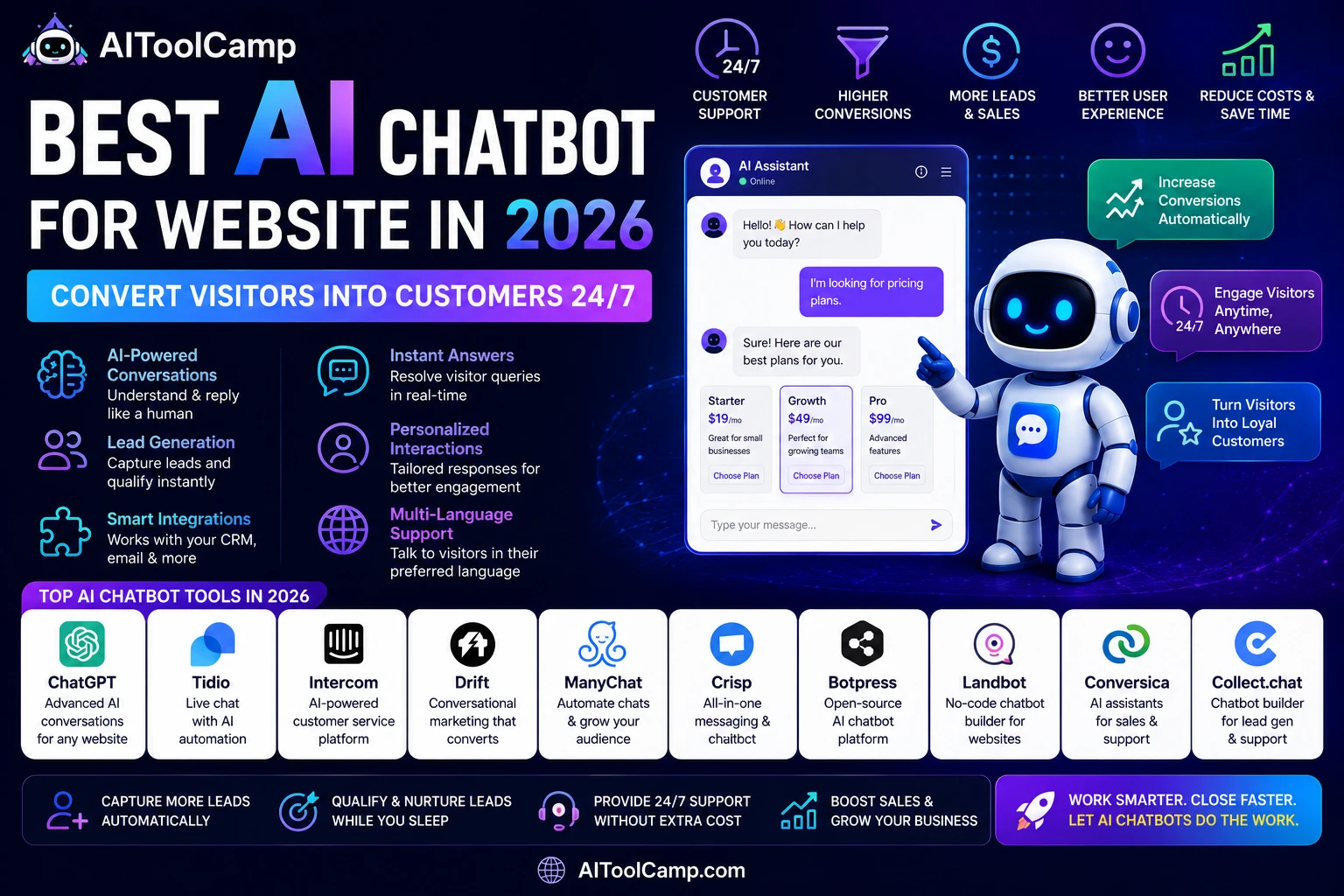
Best AI Chatbot for Website in 2026: Convert Visitors Into Customers 24/7
Your website is open 24 hours a day. Your team is not. Every visitor who arrives at 11 PM with a question, a purchase intent, or a qualification query represents revenue you are either capturing or losing — and without an AI chatbot, you are almost certainly losing it. An AI chatbot for your website bridges the gap between your visitors’ expectations for instant answers and your team’s finite availability.
In 2026, AI chatbots have evolved far beyond the frustrating rule-based bots of the past that could only match keywords to scripted responses. Modern AI chatbots understand context, handle nuanced questions, learn from interactions, and escalate to humans intelligently. They are, for most businesses, the single highest-ROI technology investment available for their website.
This guide covers the best AI chatbots for websites in 2026, helping you choose the right tool based on your business type, budget, and primary goal — whether that is lead generation, customer support, sales acceleration, or all three.
For AI tools that power your full customer support stack, explore our AI customer service tools directory.
What Is an AI Chatbot for a Website?
| Definition: AI Chatbot for Website |
| An AI chatbot for a website is a software widget embedded on your website that uses artificial intelligence — typically large language models (LLMs) combined with conversation design — to engage visitors in real-time text conversations. It can answer product questions, qualify leads by asking discovery questions, book meetings, process returns, and escalate complex issues to human agents. |
| Unlike traditional rule-based chatbots, AI chatbots understand natural language, handle unexpected questions, and improve their responses over time based on training data and conversation history. |
Why Every Business Website Needs an AI Chatbot in 2026
The Speed-to-Response Problem
According to Drift’s 2025 Conversational Marketing Report, 82% of consumers expect an immediate response when they have a sales or marketing question on a business website. ‘Immediate’ means within 5 minutes. The average human support team response time is 12 hours. An AI chatbot responds in under 5 seconds, every time, to every visitor — eliminating this gap entirely.
Lead Capture During Off-Hours
Analysis of website traffic data across industries shows that 43% of B2B website traffic occurs outside business hours (evenings, weekends, and early mornings). Without a chatbot, this traffic either bounces without converting or submits a contact form that gets a response the next business day — at which point the prospect has often moved on. An AI chatbot captures these leads in real time and can even book discovery calls directly on your calendar.
Support Cost Reduction
Customer service teams at businesses using AI chatbots consistently report 40–60% reductions in inbound support ticket volume. The chatbot resolves routine queries (order status, pricing, FAQs, return policies, account help) automatically, allowing human agents to focus exclusively on complex cases that genuinely require human judgment.
Best AI Chatbots for Websites in 2026 (Comparison)
| Tool | Best For | Free Plan? | Paid From | Standout Feature |
| Tidio | E-commerce & small business | Yes (generous) | $19/mo | Lyro AI: Answers from your own content |
| Intercom | SaaS & mid-market | No (14d trial) | $39/mo | Fin AI resolves 40%+ of support tickets |
| Drift | B2B lead generation | No | $2,500/mo | Revenue acceleration platform |
| Crisp | Startups & budget-conscious teams | Yes (2 seats) | $25/mo | Best free AI chatbot available |
| Landbot | No-code conversation flows | Yes (limited) | $40/mo | Visual flow builder, zero coding |
| Freshchat | Multi-channel support | Yes (100 agents) | $15/mo | Unified inbox: web, email, WhatsApp |
| Zoho SalesIQ | Small business all-in-one | Yes (basic) | $7/mo | Most affordable paid tier |
AI Chatbot Reviews: Which Tool Is Right for Your Business?
1. Tidio — Best AI Chatbot for E-Commerce and Small Business
Tidio is the most widely recommended AI chatbot for small businesses and e-commerce stores in 2026. Its standout feature is Lyro AI — an AI engine that is trained exclusively on your own website content, FAQs, and knowledge base. This means Lyro answers questions accurately using only information from your business, not generic AI knowledge that might be incorrect or misleading.
For e-commerce, Tidio integrates natively with Shopify and WooCommerce, allowing the chatbot to look up order status, process returns, and provide shipping information automatically. It also includes live chat, email marketing automation, and a mobile app for agents to take over conversations from anywhere.
Best for: E-commerce stores (Shopify, WooCommerce), service businesses, and SaaS companies under 50 employees.
Pricing: Free tier (50 live chat conversations/month). Starter from $19/month. Lyro AI add-on from $39/month.
2. Intercom — Best AI Chatbot for SaaS and Mid-Market
Intercom’s Fin AI is widely considered the most advanced AI chatbot available for business websites in 2026. Fin resolves over 40% of all incoming support conversations without any human intervention, using a combination of your help documentation, knowledge base articles, and conversation history. For SaaS companies with large documentation sets and high support volumes, this translates to hundreds of hours of support time saved monthly.
Intercom also excels as a product-led growth tool: the chatbot can trigger contextual messages based on what a user is doing inside your product, nudge trial users toward conversion, and identify at-risk accounts for proactive outreach.
Best for: SaaS companies, subscription businesses, and mid-market companies with significant support volume.
Pricing: Essential from $39/month/seat. Fin AI usage-based pricing from $0.99/resolved conversation.
3. Drift — Best AI Chatbot for B2B Lead Generation
Drift pioneered the conversational marketing category and remains the strongest choice for B2B companies where website visitor qualification is the primary goal. Drift’s AI identifies high-intent visitors using company IP data, engages them with personalized messages based on their industry or company size, and books meetings directly on your sales team’s calendar — all without human involvement.
Best for: B2B SaaS, enterprise software, professional services, and any business where every qualified lead has high deal value.
Pricing: Premium from $2,500/month. Significant investment but ROI is typically strong for B2B companies with deal sizes above $5,000.
4. Crisp — Best Free AI Chatbot for Websites
Crisp offers the most capable free AI chatbot available in 2026. The free plan includes 2 agent seats, unlimited conversations, a shared inbox, and basic chatbot flows. For early-stage businesses and startups that need professional-grade live chat without a budget commitment, Crisp is the clear starting point.
Best for: Early-stage startups, solo founders, and small businesses testing chatbot ROI before investing in a paid platform.
Pricing: Free (2 seats, unlimited conversations). Pro from $25/month with AI features.
5. Landbot — Best for No-Code Conversation Flows
Landbot is the most intuitive platform for building custom chatbot conversation flows without any coding. Its visual drag-and-drop builder lets you design the exact conversation path your chatbot follows — from qualification questions to pricing explanations to meeting booking — and see exactly what visitors will experience. For businesses with complex qualifying processes or multi-step lead flows, Landbot offers unmatched flexibility.
Best for: Businesses with complex lead qualification flows, multi-step product selection, or custom conversation requirements.
Pricing: Sandbox free plan. Starter from $40/month.
How to Choose the Right AI Chatbot for Your Website
Step 1: Define Your Primary Goal
Every AI chatbot decision starts with one question: what do you most want the chatbot to do? If your answer is ‘resolve customer support tickets,’ Intercom or Tidio is your tool. If your answer is ‘qualify and book B2B sales meetings,’ Drift is purpose-built for that. If your answer is ‘capture leads from website visitors around the clock,’ most tools work, but Tidio and Crisp offer the best price-to-performance ratio for smaller businesses.
Step 2: Match the Tool to Your Business Size
Budget and scale matter. For businesses under 10 employees: start with Crisp (free) or Tidio ($19/month). For growing SMBs with 10–100 employees: Tidio or Freshchat provide the right balance of features and cost. For mid-market and enterprise businesses: Intercom or Drift are the standard, with pricing to match. Choosing an enterprise tool when you’re a 3-person team is wasted investment.
Step 3: Check Your Critical Integrations
An AI chatbot creates maximum value when it connects to your existing stack. Before choosing, verify that the tool integrates with: your CRM (HubSpot, Salesforce, Pipedrive), your e-commerce platform (Shopify, WooCommerce), your help desk (Zendesk, Freshdesk), and your calendar tool (Google Calendar, Calendly). Most major chatbots support these integrations natively.
How to Set Up an AI Chatbot on Your Website (Step by Step)
Setting up a basic AI chatbot takes 30–90 minutes depending on the platform and your customization requirements. Here is the universal setup framework:
- Sign up and choose your plan: Start with the free tier or trial. You can always upgrade once you see the ROI.
- Install the code snippet: Every chatbot platform provides a JavaScript snippet. Paste it before the closing </body> tag in your WordPress theme (or use the platform’s official plugin for zero-code installation).
- Train the AI on your content: Upload your FAQ document, knowledge base articles, pricing page content, and product information. This is what the AI uses to answer questions accurately.
- Design your opening message: Write a proactive greeting that tells visitors what the chatbot can help with. Be specific: ‘Hi! I can answer questions about pricing, our features, or book a demo for you.’ beats a generic ‘Hi, how can I help?’
- Set up lead capture: Configure the chatbot to ask for name and email before providing detailed information or booking a meeting. Connect lead data directly to your CRM.
- Define escalation rules: Set conditions under which the chatbot hands off to a human agent — keywords like ‘complaint,’ ‘cancel,’ ‘urgent,’ or ‘refund’ should always escalate.
- Test 20 real scenarios: Before going live, test the chatbot with 20 questions your real customers ask. Fix any gaps in its knowledge base before visitors encounter them.
- Monitor and optimize: Review chatbot conversation logs weekly for the first month. Identify common questions it handles poorly and add those answers to the training data.
5 Chatbot Optimization Strategies That Increase Conversions
1. Use Proactive Triggers, Not Just Reactive Chat
The default chatbot behavior is to wait for the visitor to open the chat. High-converting chatbots use proactive triggers: if a visitor has spent 30+ seconds on the pricing page, the chatbot fires with ‘Comparing plans? I can help — what feature matters most to you?’ This single trigger, for most SaaS companies, doubles chatbot engagement rates.
2. Personalize Based on Traffic Source
Use UTM parameters to detect where a visitor came from and customize the chatbot’s opening message accordingly. A visitor from a Google Ad for ‘enterprise software’ gets a different greeting than a visitor from a blog post. Personalized greetings improve engagement by 40–60% compared to generic ones.
3. Book Meetings, Not Just Collect Leads
The highest-converting chatbot flows end with a calendar booking, not a contact form submission. Integrate your chatbot with Calendly or Google Calendar and offer qualified leads the ability to book a call directly in the chat. This converts 3–5x more hot leads than a follow-up form, because the prospect commits while their intent is highest.
4. Add Video or Rich Media for Complex Products
Modern AI chatbots support rich media — embed a 60-second product demo video inside the chatbot for visitors asking ‘how does your product work?’ Replacing a text explanation with a video in the chatbot reduces bounce rate from the pricing page by an average of 24% in A/B tests.
5. Analyze the Drop-Off Points Weekly
Every chatbot conversation has a point where visitors disengage. Reviewing your chatbot analytics weekly to identify where drop-offs occur and testing new responses at those points is the highest-leverage optimization activity. Even a 10% improvement in chatbot completion rate often represents a 20–40% increase in qualified leads per month.
Related Tools and Resources
For AI automation tools that connect your chatbot to your CRM, email, and project management tools: AI automation tools on AIToolCamp.
For AI tools that handle your complete customer service stack beyond chatbots: AI customer service tools directory.
For AI lead generation tools that pair with website chatbots: AI lead generation tools on AIToolCamp.
External reading: Drift’s 2025 Conversational Marketing Report provides benchmark data on chatbot performance across industries. Intercom’s Customer Support Statistics is the authoritative source for AI support resolution rate data cited in this article. For installation-specific help, Tidio’s official documentation is comprehensive and regularly updated.
Frequently Asked Questions
Q1: What is the best AI chatbot for a small business website?
| Answer |
| The best AI chatbot for a small business website in 2026 is Tidio. It combines a generous free tier, an AI engine (Lyro) that learns from your own content, native e-commerce integrations (Shopify, WooCommerce), and an easy setup that takes under an hour. For businesses that want to start completely free, Crisp is the best no-cost option with professional features. |
Q2: How much does an AI chatbot for a website cost?
| Answer |
| AI chatbot costs for websites range from $0 (Crisp free plan, Tidio free plan) to $2,500+/month (Drift enterprise). For most small and medium businesses, a fully featured AI chatbot costs $19–$40/month. Mid-market companies typically spend $100–$500/month for higher volume and advanced AI features. Enterprise platforms (Intercom, Drift) start at $500–$2,500/month for full AI capabilities. |
Q3: Can I install an AI chatbot on WordPress without coding?
| Answer |
| Yes — all major AI chatbot platforms offer WordPress plugins or simple copy-paste code snippets that require zero coding. Tidio, Crisp, Intercom, and Freshchat all have official WordPress plugins in the .org plugin repository. Installation takes under 10 minutes: install the plugin, enter your account credentials, and the chatbot appears on your site immediately. |
Q4: How does an AI chatbot improve website lead generation?
| Answer |
| An AI chatbot improves website lead generation by: (1) Engaging visitors proactively instead of waiting for them to find a contact form; (2) Qualifying leads with targeted questions and routing hot leads immediately; (3) Capturing contact information conversationally, which has higher completion rates than static forms; (4) Operating 24/7, capturing leads from evening and weekend traffic that would otherwise bounce; (5) Booking meetings directly, converting intent into commitment while it’s highest. |
Q5: What is the difference between a rule-based chatbot and an AI chatbot?
| Answer |
| A rule-based chatbot follows a fixed script — it can only respond to questions that match predefined keywords or conversation paths. If a visitor asks something unexpected, it fails. An AI chatbot uses large language models to understand natural language, handle unexpected questions, infer context, and generate relevant responses — even for questions it has never been asked before. In 2026, rule-based chatbots are largely obsolete for business use. AI chatbots deliver significantly better visitor experiences and much higher engagement and conversion rates. |
Final Verdict: Best AI Chatbot for Your Website
The right AI chatbot for your website depends entirely on your business size, primary goal, and budget. Here is the clearest recommendation framework for 2026:
- Budget-conscious or just starting: Start with Crisp (free) and upgrade to Tidio when you outgrow it.
- E-commerce store (Shopify/WooCommerce): Tidio is the clear winner — native integrations, Lyro AI, and e-commerce-specific features.
- SaaS company with significant support volume: Intercom with Fin AI delivers the highest resolution rates and product-led growth features.
- B2B company focused on pipeline generation: Drift is purpose-built for this, despite the higher price tag.
- Complex qualifying flows with no-code requirements: Landbot offers the most flexible visual conversation builder.
Regardless of which platform you choose, the impact is the same: more leads captured, faster response times, lower support costs, and a website that works for your business around the clock. Explore all AI chatbot tools on AIToolCamp to compare every option with detailed reviews, pricing, and user ratings.