

Video is no longer optional for businesses — it is the dominant content format across every platform where your customers spend time. LinkedIn videos get 5x more engagement than text posts. Emails with video achieve 300% higher click rates. Landing pages with video can increase conversion by up to 80%. The problem has always been that producing quality video is expensive, time-consuming, and requires skills most business teams simply don’t have.
That changed with the arrival of AI video generators. In 2026, any business — regardless of size or budget — can produce professional-grade video content in minutes using AI. These tools handle scripting, voiceover, animation, stock footage selection, and editing automatically. You provide the idea or the text, and the AI delivers a finished, publish-ready video.
In this guide, we review the best AI video generators for business in 2026, covering pricing, use cases, strengths, and how to choose the right one for your needs. We also explain the exact workflows that deliver the highest ROI for marketing, sales, and training teams.
Before diving in, explore our AI marketing tools directory on AIToolCamp for the full landscape of AI-powered content and campaign tools.
What Is an AI Video Generator for Business?
| Definition: AI Video Generator for Business |
| An AI video generator for business is software that uses artificial intelligence — including large language models, text-to-speech engines, generative image models, and automated editing algorithms — to create professional video content from text input, images, URLs, or existing documents. |
| Instead of filming, scripting, hiring voiceover artists, and editing in post-production, a business user types a prompt or pastes a script and receives a complete, branded video in minutes. |
Modern AI video tools go far beyond simple slideshow generators. The best platforms in 2026 offer AI avatars that present your content on screen, voice cloning that speaks in your brand tone, automatic B-roll selection from millions of stock clips, and one-click translation into 100+ languages. For businesses, this means the ability to produce content at a scale that was previously only possible for large media companies.
Why AI Video Generation Is Critical for Business in 2026
The Video Consumption Gap
According to Wyzowl’s 2025 Video Marketing Statistics report, 91% of businesses now use video as a marketing tool — but only 32% of small and mid-size businesses produce video weekly due to resource constraints. AI video tools close this gap by reducing production time from days to minutes and cost from thousands to tens of dollars per video.
The ROI Is Measurable
Businesses using AI video generators report average reductions of 80–90% in video production costs. A 2-minute explainer video that previously required a $2,000–$5,000 production budget can now be created in 15 minutes for $20–$50 in AI tool usage. For companies publishing 20–50 videos per year, this represents $40,000–$250,000 in recovered budget.
Personalization at Scale
Sales teams using tools like HeyGen can generate personalized video messages for every prospect on their list — with the AI avatar addressing each person by name and referencing their specific company or challenge. This level of personalization, previously impossible at scale, is now table-stakes for high-performance B2B sales teams.
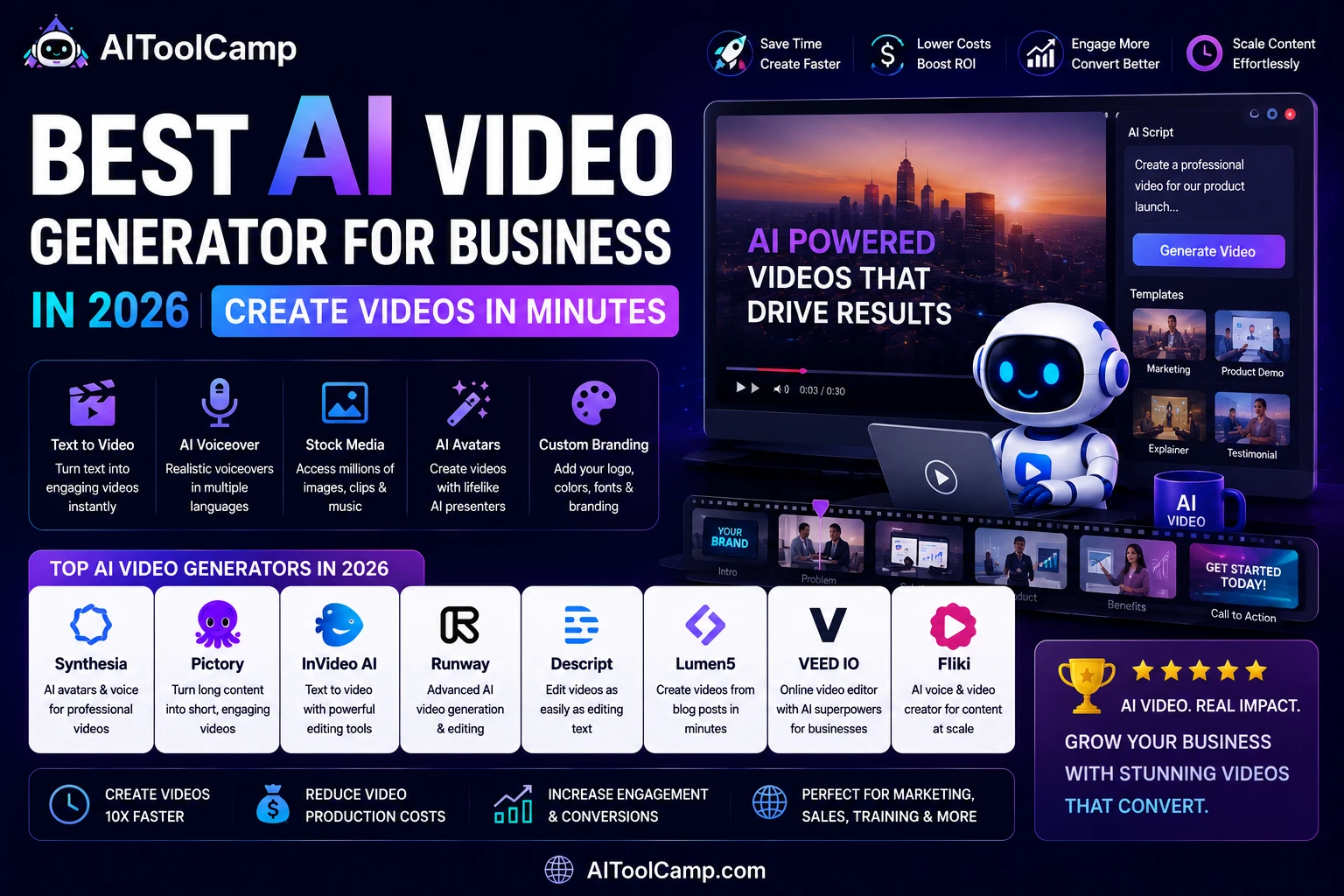
Top 7 AI Video Generators for Business (2026 Comparison)
We evaluated 15+ AI video tools on output quality, ease of use, business-specific features, language support, export options, and pricing. Here are the seven that stand out for business use.
| Tool | Best For | Free Plan? | Paid From | Key Feature |
| Synthesia | Corporate training & explainers | No (free trial) | $22/mo | 140+ AI avatars, 120 languages |
| HeyGen | Personalized sales video | Yes (limited) | $24/mo | Video personalization at scale |
| Pictory | Blog-to-video conversion | Yes (3 videos) | $19/mo | Auto-extracts key points from articles |
| InVideo AI | Social media & marketing | Yes (limited) | $20/mo | 5,000+ templates, AI script writer |
| Runway ML | Creative brand content | Yes (limited) | $12/mo | Gen-3 video generation, cinematic quality |
| Loom AI | Internal comms & async meetings | Yes (generous) | $12.50/mo | AI summaries, chapters, action items |
| Vidyo.ai | Short-form repurposing | Yes (limited) | $19/mo | Auto-clips long videos for TikTok/Reels |
Top AI Video Tools for Business: Deep Dive Reviews
1. Synthesia — Best for Corporate & Training Videos
Synthesia is the gold standard for business video production. Its library of 140+ photorealistic AI avatars can present your script in any of 120 languages, making it the top choice for global training programs, HR onboarding videos, and product explainers. The platform integrates directly with corporate LMS systems and allows brand customization with your logo, colors, and custom templates.
Best for: HR teams, L&D departments, SaaS product demos, global businesses needing multilingual content.
Pricing: Pro from $22/month (60 videos/year). Enterprise custom pricing available.
2. HeyGen — Best for Sales Video Personalization
HeyGen has emerged as the preferred tool for sales teams in 2026. Its standout feature is video personalization at scale: upload a CSV of prospects, and HeyGen generates individual videos where the AI avatar addresses each person by name. Integration with HubSpot and Salesforce means these personalized videos can be embedded directly in your CRM outreach sequences.
Best for: SDR teams, account executives, customer success, and executive communications.
Pricing: Essential from $24/month. Teams and Enterprise plans available.
3. Pictory — Best for Repurposing Written Content
If your business already produces blog posts, whitepapers, or long-form content, Pictory transforms it into shareable video instantly. Paste a URL or a script, and Pictory extracts key points, selects matching stock footage, adds captions, and produces a finished video in minutes. It’s the fastest path from written content to video without any manual work.
Best for: Content marketing teams, bloggers, agencies managing multiple client content calendars.
Pricing: Starter from $19/month (30 videos/month).
4. InVideo AI — Best All-Rounder for Marketing Teams
InVideo AI is the most versatile option for marketing teams. With 5,000+ templates covering every format from YouTube thumbnails to Instagram Reels to LinkedIn ads, an AI script writer, and a massive stock library, it handles the full marketing video production workflow. The AI can generate a complete video from a single text prompt describing your campaign goal.
Best for: Marketing teams, social media managers, agencies, and entrepreneurs building content at scale.
Pricing: Business from $20/month. Team plans available.
Best Use Cases: AI Video for Business (By Department)
Different departments get different value from AI video generators. Here is how each function can apply them for maximum impact:
| Department | Use Case | Best Tool | Estimated Time Saved |
| Marketing | Social media video ads and promotions | InVideo AI | 8–12 hrs/week |
| Sales | Personalized outreach videos for prospects | HeyGen | 5–8 hrs/week |
| HR / L&D | Employee onboarding and training videos | Synthesia | 10–20 hrs/month |
| Customer Success | Product tutorial and how-to videos | Synthesia | 6–10 hrs/month |
| Content Team | Blog-to-video repurposing | Pictory | 4–6 hrs/week |
| Product | Feature demo and release videos | InVideo AI | 3–5 hrs/video |
How to Choose the Right AI Video Generator for Your Business
Step 1: Identify Your Primary Video Type
The single most important factor is the type of video you need most. If you primarily need training and internal explainer content, Synthesia’s avatar library is unmatched. If you’re focused on social media marketing, InVideo AI’s template library is the best fit. If your use case is sales outreach personalization, HeyGen is purpose-built for that workflow.
Step 2: Consider Language Requirements
For businesses with global audiences or multilingual teams, language support is critical. Synthesia supports 120 languages with native-quality text-to-speech. HeyGen and InVideo AI support 40–80 languages. If multilingual content is a core requirement, this should be your deciding factor.
Step 3: Evaluate Your Content Workflow
If you already produce lots of written content (blogs, scripts, presentations), Pictory offers the fastest time-to-video by repurposing what you already have. If you’re starting from scratch with each video, InVideo AI’s AI script writer reduces the effort of building content from zero.
Step 4: Test With the Free Tier
Every tool on this list offers either a free trial or a free tier. Before committing to a paid plan, produce at least 3 test videos representing your actual use case. Evaluate output quality, rendering speed, customization options, and how much manual editing is required after the AI generates the first version.
AI Video Production Workflow: From Idea to Published in 30 Minutes
Here is the step-by-step workflow a marketing team can follow to publish a professional business video in under 30 minutes using AI tools:
| 1 | Define your video goal and audience (5 mins)
Decide: Is this a social ad, product demo, training video, or sales outreach video? Who is watching it? What action do you want them to take? |
| 2 | Write or input your script (5 mins)
Use InVideo AI or ChatGPT to generate a script from a brief prompt. Alternatively, paste your existing blog post URL into Pictory. |
| 3 | Select avatar, voice, and template (5 mins)
Choose the AI avatar or visual style that fits your brand. Select a voice from the text-to-speech library or use your own cloned voice. |
| 4 | Generate and review the AI draft (5 mins)
Let the AI produce the first version. Review for accuracy, tone, and brand alignment. Make targeted edits rather than regenerating from scratch. |
| 5 | Add branding, logo, and CTA (5 mins)
Upload your logo, apply brand colors, and add your call-to-action screen at the end. |
| 6 | Export and publish (5 mins)
Export in the format required (MP4, vertical for Reels/TikTok, horizontal for YouTube/LinkedIn). Publish directly or send to your scheduling tool. |
3 Mistakes to Avoid With AI Video for Business
Mistake 1: Publishing AI Video Without Review
AI video generators occasionally produce content with subtle errors — a mispronounced word, a slightly off-brand visual, or a factual claim that needs verification. Always review the output before publishing, especially for customer-facing content. Build a 10-minute review step into every AI video workflow.
Mistake 2: Using the Default Avatar and Voice
Default settings make your AI videos look like everyone else’s AI videos. Spend time customizing the avatar, voice tone, background, and brand colors. The difference between a generic AI video and a compelling one is almost entirely in the customization layer, not the AI itself.
Mistake 3: Ignoring Captions and Accessibility
85% of social media videos are watched without sound. All major AI video tools can auto-generate captions — use them every time. Captions also improve SEO for video content indexed by Google.
Related Tools and Further Reading
For more AI tools that power business content creation, explore: AI content creation tools on AIToolCamp.
If you’re building a complete marketing automation stack, see our guide on AI marketing tools for small business.
For social media-specific AI tools that pair with video content, visit our AI social media tools directory.
External resources: Wyzowl’s State of Video Marketing 2025 provides the benchmark data for video ROI cited in this article. HubSpot’s Video Marketing Guide is an excellent companion resource for building a video strategy around your AI-generated content.
Frequently Asked Questions
Q1: What is the best AI video generator for business?
| Answer |
| The best AI video generator for business in 2026 depends on your use case. For corporate training and multilingual content: Synthesia. For personalized sales videos: HeyGen. For blog-to-video repurposing: Pictory. For social media marketing: InVideo AI. For creative brand content: Runway ML. Most businesses should start with InVideo AI for its versatility and generous free tier. |
Q2: Can AI video generators replace professional video production?
| Answer |
| For most standard business video needs — explainers, training, social ads, product demos, and email videos — AI generators produce output that meets or exceeds professional production for a fraction of the cost. For high-budget brand campaigns, cinematic content, or live-action footage, traditional production still has advantages. The 80/20 rule applies: AI handles 80% of your video needs at 5% of the cost. |
Q3: How much does an AI video generator cost for business?
| Answer |
| AI video generator pricing for business ranges from $12/month (Runway ML) to $22–$24/month (Synthesia, HeyGen) for standard plans. Enterprise pricing varies by volume. Most tools offer free tiers or free trials. A full AI video production stack — one generator plus one editing/repurposing tool — typically costs $30–$50/month total, replacing production budgets of $2,000–$10,000/month. |
Q4: Do I need any video editing skills to use AI video generators?
| Answer |
| No. The best AI video generators are designed specifically for non-editors. Tools like Synthesia, HeyGen, and InVideo AI use drag-and-drop interfaces and AI-guided workflows that require zero video editing experience. If you can write a script and choose a template, you can produce a professional video. Most users publish their first video within 30 minutes of signing up. |
Q5: Are AI-generated videos good for SEO and YouTube?
| Answer |
| Yes — AI-generated videos rank on YouTube and perform in Google video search just like human-produced videos. Google’s ranking signals for video focus on watch time, engagement, and relevance — not how the video was produced. Best practices: write a keyword-optimized title and description, use auto-generated captions (which are indexed by Google), create a compelling thumbnail, and ensure the video delivers genuine value to viewers. |
Final Verdict: Which AI Video Generator Should You Start With?
For most businesses in 2026, InVideo AI is the best starting point — it covers the widest range of use cases, has the most generous free tier, and produces high-quality output without requiring any video expertise. If you have specific needs (training videos, sales personalization, or content repurposing), upgrade to the specialist tool that matches your primary use case.
The bottom line: video is your most powerful content format, and AI has made it accessible to every business regardless of budget or team size and if you are looking for a site which can help you extract youtube videos data and helps you find strategy about how videos getting viral then this website is best SavexrDownloader.
Explore the full AI video tools directory on AIToolCamp to compare every option in one place.