

The Best AI Tools for Accountants in 2026: Complete Guide
AI is fundamentally reshaping accounting. According to Intuit, over 80% of accountants now use at least one AI-powered tool in their daily workflow. Industry analysts call this the “cognitive pivot”: accountants are transitioning from number-crunchers to strategic financial advisors, with AI handling the repetitive groundwork.
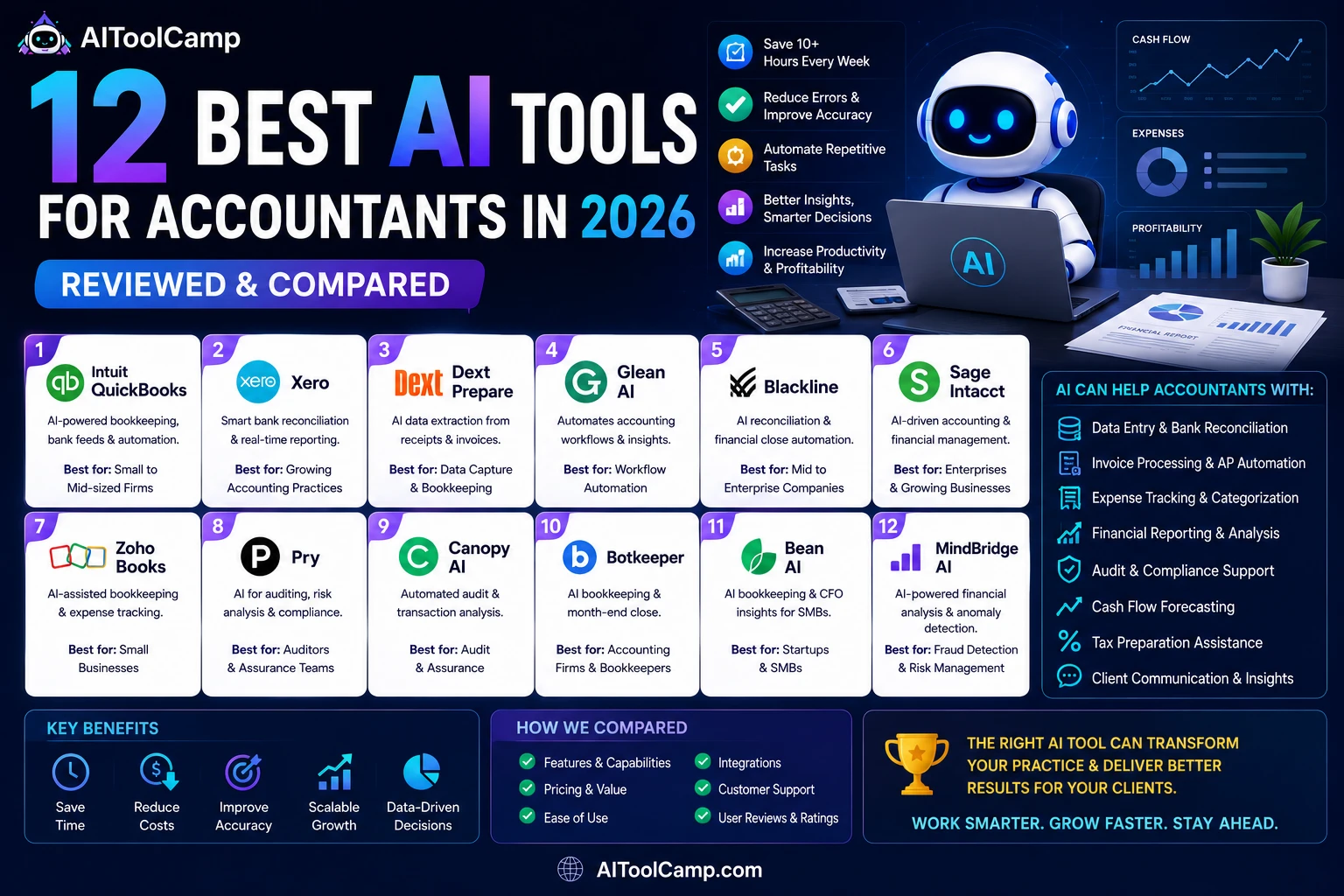
In this guide, we cover the best AI tools for accountants in 2026, spanning bookkeeping automation, invoice processing, reconciliation, fraud detection, and client reporting. If you’re also researching AI software for other business functions, browse our full AI tools directory for more guides.
Why Accountants Need AI Tools in 2026
The pressure on accounting teams has never been greater. Finance departments are being asked to do more with fewer people, tighter deadlines, and growing regulatory complexity. Manual processes — spreadsheet reconciliations, paper receipts, manual data entry — are no longer sustainable at scale.
According to Ramp’s 2026 State of Finance report, finance teams that adopted AI tools reduced month-end close time by an average of 40%, while also catching more errors and anomalies than manual review ever could.
The most common AI use cases in accounting today include:
- Automated bookkeeping and transaction categorization
- AI document and receipt extraction from invoices and bills
- Bank feed reconciliation and anomaly detection
- Month-end close automation and variance analysis
- AI-generated financial commentary and client reporting
- Fraud detection and 100% transaction risk analysis
- Cash flow forecasting using historical patterns
- Tax preparation assistance and compliance flagging
The tools that deliver ROI fastest are those that target your biggest bottlenecks — whether that’s AP volume, close complexity, or client reporting time. The sections below break down the top platforms by use case so you can match the right tool to your situation.
What to Look for in an AI Accounting Tool
Before diving into the list, here’s what separates genuinely useful AI accounting software from tools that just slap “AI” on their marketing:
| Criteria | Why It Matters |
|---|---|
| Integration depth | Does it connect natively with your GL (QuickBooks, Xero, NetSuite)? |
| Accuracy of AI suggestions | Low-confidence categorizations need human review — check error rates |
| Audit trail | Every AI action should be logged and reversible |
| Data security & SOC 2 | Financial data is sensitive — compliance matters |
| Learning over time | The best tools improve the more you use them |
| Support for your team size | Solo practitioner needs differ from enterprise close teams |
The Best AI Accounting Tools in 2026
1. QuickBooks Online (with AI Features) — Best All-in-One for Small Businesses
Overview: QuickBooks Online has expanded its AI capabilities significantly in 2025–2026. The platform now includes automated transaction categorization, smart receipt capture via mobile, cash flow predictions, and an AI assistant that can answer questions about your books in plain language.
Key AI Features:
- Auto-categorization of bank transactions based on vendor history and rules
- Cash flow forecasting with scenario modeling
- Mileage tracking with automatic classification
- AI-generated profit & loss summaries
- Smart invoice reminders and follow-up automation
Pricing: Starts at $30/month (Simple Start) up to $200/month (Advanced)
Best for: Small businesses wanting AI features without switching platforms.
Limitations: AI features are more mature on the desktop/web than mobile; advanced automation requires the higher-tier plans.
2. Ramp — Best for AI-Powered Expense Coding
Overview: Ramp is a corporate card and spend management platform with one of the strongest AI expense coding engines available. It automatically codes transactions to the correct GL accounts, flags out-of-policy spend, and generates reports without manual input.
Key AI Features:
- AI expense coding with 95%+ accuracy on recurring vendors
- Automated receipt matching and OCR extraction
- Duplicate charge detection
- Spend anomaly alerts
- AI-powered vendor contract analysis to find savings
Pricing: Free plan available; Ramp Plus starts at $15/user/month
Best for: Finance teams that want spend management and AI coding in one platform.
Limitations: Best value for teams already using corporate cards; less useful for firms managing client accounts.
3. MindBridge — Best for Fraud Detection and Risk Intelligence
Overview: MindBridge uses machine learning to analyze 100% of your general ledger transactions — not just a sample — and assigns a risk score to every entry. This makes it especially powerful for internal audit teams and external auditors who need to catch anomalies that manual review would miss.
Key AI Features:
- Full-population transaction risk scoring
- Unusual pattern detection (timing, amount, user behavior)
- Integration with major ERP systems
- Audit-ready reporting with explainability
- Continuous monitoring (not just point-in-time audits)
Pricing: Custom pricing; typically enterprise tier
Best for: Auditors and risk teams needing full-population transaction analysis.
Limitations: Overkill for small businesses; requires clean, structured GL data to perform well.
4. BlackLine — Best for Financial Close Automation
Overview: BlackLine is the market leader in financial close management for mid-to-large enterprises. Its AI capabilities automate reconciliations, flag discrepancies, and provide real-time visibility into close status across teams and entities.
Key AI Features:
- AI-assisted account reconciliation
- Automated journal entry creation and posting
- Task management with intelligent deadline prioritization
- Variance analysis with AI-generated commentary
- Multi-entity consolidation support
Pricing: Custom enterprise pricing
Best for: Enterprises with complex, multi-entity close processes.
Limitations: Implementation time and cost can be significant; not suited for small businesses.
5. Vic.ai — Best for AP Invoice Processing
Overview: Vic.ai is purpose-built for accounts payable automation. It uses deep learning to extract data from invoices, match POs, route for approval, and post to your ERP — with minimal human intervention once trained.
Key AI Features:
- AI-powered invoice data extraction (vendor, amount, line items, dates)
- 3-way PO matching
- Approval routing automation
- ERP integration (NetSuite, SAP, Dynamics, Sage)
- Self-learning model that improves with each processed invoice
Pricing: Custom pricing based on invoice volume
Best for: Firms with high invoice volumes looking to automate AP end-to-end.
Limitations: Works best at scale (100+ invoices/month); smaller teams may not hit the ROI threshold.
6. Botkeeper — Best for Bookkeeping Automation
Overview: Botkeeper combines AI with a team of accounting professionals to deliver automated bookkeeping for accounting firms managing multiple client accounts. It handles categorization, reconciliation, and reporting, and integrates with common accounting platforms.
Key AI Features:
- Automated transaction categorization and coding
- Bank reconciliation with exception flagging
- Real-time client financial dashboards
- Payroll processing automation
- Document management and receipt matching
Pricing: Starts around $69/month per client entity
Best for: Accounting firms managing bookkeeping across many client accounts.
Limitations: The hybrid human+AI model means it’s not purely self-serve; better for firms than individual business owners.
7. Numeric — Best for Month-End Close Management
Overview: Numeric is a modern close management tool designed for controllers and finance teams who want to move faster through month-end without sacrificing accuracy. It centralizes close tasks, tracks open items, and uses AI to flag anomalies in account balances.
Key AI Features:
- AI-flagged flux analysis (explains balance changes automatically)
- Close checklist automation and task dependencies
- Real-time close progress tracking
- Integration with QuickBooks, Xero, and NetSuite
- AI commentary on variance drivers
Pricing: Starts at $500/month
Best for: Controllers managing multi-step monthly close workflows.
Limitations: Focused specifically on the close process; not a full accounting platform.
8. Rima — Best for Custom Workflow Automation
Overview: Rima is an AI workflow builder for accounting firms that lets teams automate tasks that don’t fit neatly into off-the-shelf tools. Think of it as a no-code automation layer on top of your existing accounting stack.
Key AI Features:
- Custom AI workflow builder (no coding required)
- Document classification and routing
- Client communication automation
- Integration with existing accounting software
- AI agents for repetitive research and data tasks
Pricing: Custom pricing
Best for: Firms with unique workflows that off-the-shelf tools don’t cover.
Limitations: Requires time to configure and train; ROI depends on workflow complexity.
9. Netgain — Best for NetSuite-Based Teams
Overview: Netgain builds AI-powered accounting applications that live natively inside NetSuite. If your business runs on NetSuite, Netgain removes the need for external tools by bringing lease accounting, fixed asset management, and revenue recognition directly into your ERP.
Key AI Features:
- Automated lease accounting (ASC 842 / IFRS 16 compliant)
- Fixed asset management and depreciation automation
- Revenue recognition automation
- AI audit trails and reporting
- Native NetSuite integration (no data sync needed)
Pricing: Custom enterprise pricing
Best for: Organizations running their finance stack on NetSuite.
Limitations: Only relevant for NetSuite users; not a standalone tool.
10. Fathom (Commentary Writer) — Best for AI-Generated Client Reporting
Overview: Fathom connects to your accounting software and generates professional financial reports and KPI dashboards automatically. Its AI Commentary Writer turns raw financial data into written narratives — a major time-saver for advisory firms sending monthly reports to clients.
Key AI Features:
- AI-generated financial commentary and insights
- KPI dashboard builder with visual charts
- Automated variance analysis with written explanations
- Consolidation reporting for multi-entity clients
- Branded client report templates
Pricing: Starts at $39/month
Best for: Advisory firms that send regular performance reports to clients.
Limitations: Reporting and analysis tool only — not a bookkeeping or close platform.
11. Syft Analytics — Best for AI-Assisted Financial Insights
Overview: Syft Analytics is a reporting and analytics platform that connects to QuickBooks, Xero, and Sage. It offers AI-powered explanations of financial movements, making it easier for accountants to explain results to non-financial clients.
Key AI Features:
- AI-generated narrative summaries of financial reports
- Automated benchmarking against industry averages
- Cash flow forecasting with AI adjustments
- Consolidation reporting across entities
- Collaboration tools for client-facing review
Pricing: Starts at $25/month
Best for: Firms wanting dashboard-style reporting with built-in AI explanations.
Limitations: Less suited for internal management accounting; primarily a client-facing tool.
12. Datarails — Best for Excel-Based FP&A
Overview: Datarails is a financial planning and analysis platform that sits on top of Excel, letting FP&A teams keep their existing models while adding AI-powered automation, consolidation, and scenario planning.
Key AI Features:
- AI assistant (“FP&A Genius”) that answers financial questions in natural language
- Automated data consolidation from multiple Excel files
- Scenario modeling and what-if analysis
- Rolling forecasts with AI-suggested adjustments
- Budget vs. actuals reporting with commentary
Pricing: Custom pricing; mid-market and enterprise focus
Best for: FP&A teams that don’t want to abandon Excel-based models.
Limitations: Still Excel-dependent — not a path away from spreadsheets, but a smarter way to use them.
Side-by-Side Comparison Table
| Tool | Primary Use Case | Best For | Starting Price | ERP Integration |
|---|---|---|---|---|
| QuickBooks Online | All-in-one accounting | Small businesses | $30/mo | Native |
| Ramp | Expense management | Finance teams | Free / $15/user | Yes |
| MindBridge | Fraud & audit | Auditors | Custom | Yes |
| BlackLine | Financial close | Enterprise | Custom | Yes |
| Vic.ai | AP automation | High-volume AP | Custom | Yes |
| Botkeeper | Bookkeeping | Accounting firms | ~$69/client | Yes |
| Numeric | Close management | Controllers | $500/mo | Yes |
| Rima | Custom workflows | Firms with unique needs | Custom | Yes |
| Netgain | NetSuite apps | NetSuite users | Custom | NetSuite only |
| Fathom | Client reporting | Advisory firms | $39/mo | Yes |
| Syft Analytics | Reporting & insights | Client-facing firms | $25/mo | Yes |
| Datarails | Excel FP&A | FP&A teams | Custom | Yes |
How to Choose the Right AI Accounting Tool
Start by identifying where your team loses the most time each month:
By pain point:
- Bookkeeping and categorization → QuickBooks Online, Botkeeper
- AP / invoice processing → Vic.ai, Ramp
- Reconciliation and close → BlackLine, Numeric, Netgain
- Audit and fraud detection → MindBridge
- Client reporting and commentary → Fathom, Syft Analytics
- FP&A and forecasting → Datarails
- Custom workflows → Rima
By firm type:
- Solo practitioner or small business → QuickBooks Online, Fathom
- Mid-size accounting firm → Botkeeper, Numeric, Syft Analytics
- Enterprise finance team → BlackLine, MindBridge, Datarails
- NetSuite-based organization → Netgain
Implementation advice from Origami’s 2026 accounting report: Start with one tool that targets your highest-volume, lowest-skill task (usually transaction categorization or invoice extraction). Prove the time savings over 60–90 days, then expand to adjacent workflows.
What AI Accounting Tools Cannot (Yet) Replace
AI is powerful, but it still has real limits in accounting contexts:
- Judgment calls on complex transactions — AI can flag; humans must decide
- Client relationship management — Trust is still built person-to-person
- Tax strategy and planning — Requires interpretive expertise and knowledge of individual circumstances
- Regulatory interpretation — New rules require human analysis before AI can apply them consistently
- Audit opinion and sign-off — Regulatory responsibility remains with the licensed professional
The most effective accounting teams in 2026 use AI to clear the backlog — so their professionals can focus on the work that genuinely requires expertise.
Frequently Asked Questions
What is the best AI tool for small business accounting?
QuickBooks Online with its built-in AI features is the best starting point for most small businesses. It combines bookkeeping, invoicing, payroll, and AI-powered categorization in one platform without requiring additional integrations.
Can AI replace accountants?
No. AI is replacing specific repetitive tasks within accounting — data entry, categorization, reconciliation — but not the profession itself. Accountants who adopt AI tools are becoming more strategic and higher-value, not redundant.
What’s the difference between accounting AI tools and traditional accounting software?
Traditional accounting software requires manual data entry and human review of every transaction. AI accounting tools automate categorization, anomaly detection, document extraction, and reporting, reducing the time accountants spend on low-value tasks by 30–60%.
Are AI accounting tools secure?
The leading platforms (BlackLine, MindBridge, Vic.ai, Ramp) are SOC 2 Type II certified and use bank-grade encryption. Always verify compliance certifications before sharing financial data with any third-party tool.
How much do AI accounting tools cost?
Pricing ranges widely. Consumer-facing tools like QuickBooks Online start at $30/month. Mid-market platforms like Fathom start at $39/month per organization. Enterprise platforms like BlackLine, MindBridge, and Datarails are custom-priced and typically run $1,000–$10,000+/month depending on entity count and users.
Which AI tools work with QuickBooks?
Fathom, Syft Analytics, Numeric, Botkeeper, and Datarails all integrate with QuickBooks Online. Ramp also connects to QuickBooks for GL sync and expense coding.
Which AI tools work with Xero?
Fathom, Syft Analytics, Numeric, and Botkeeper all connect natively to Xero. Vic.ai also supports Xero for AP automation.
Final Thoughts
AI is no longer optional for accounting teams in 2026 — it’s becoming the default way firms handle bookkeeping, reconciliation, and reporting. The right combination of tools depends on your firm’s size, tech stack, and where your bottlenecks actually are.
The firms seeing the biggest gains aren’t using the most tools — they’re using the right tools for their specific workflow, integrating them properly, and giving their teams time to build trust in the AI’s output before expanding.
Start with one high-impact area, prove the time savings, and expand from there.
Looking to streamline other parts of your business with AI?
- 📋 Best AI Tools for Recruiting in 2026
- 📊 Explore more software comparisons in our AIToolCamp tools library
- 🔍 Browse the full AI tools directory to find tools by category