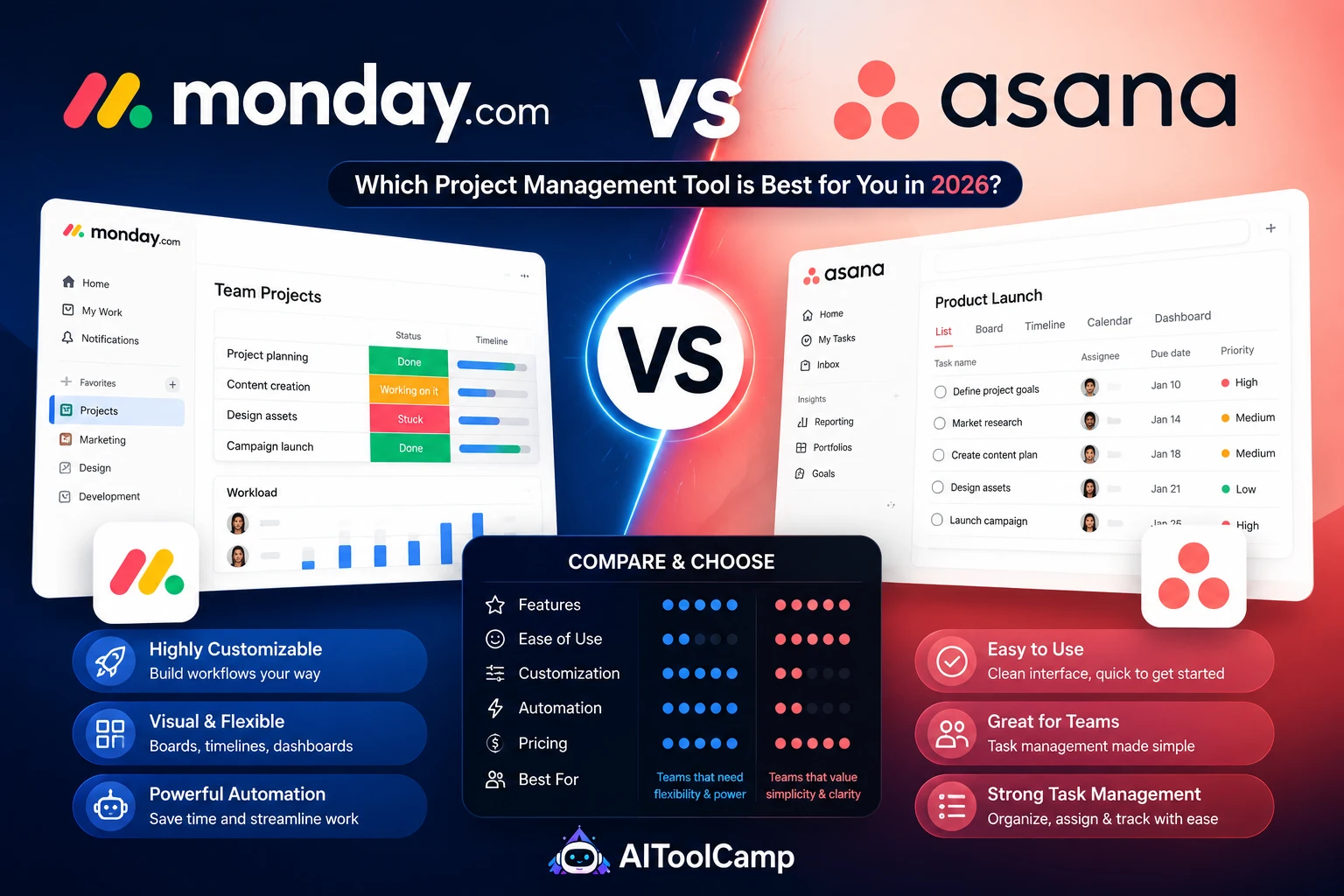
Monday.com vs Asana are the two most searched project management platforms in the world — and for good reason. Both are genuinely excellent tools that have added significant AI capabilities in 2025–2026. But they are built for different teams, different working styles, and different scales of project complexity.
We used both tools on real business projects for 8 weeks: marketing campaigns, product launches, client service workflows, and team operations management. Here is the honest, use-case-driven comparison.
| Monday.com
Free — Pro from $19/seat/month
AIToolCamp Score: 8.6/10 |
VS |
Asana
Free (15 users) — Advanced $30.49/seat
AIToolCamp Score: 8.8/10 |
| 🏆 WINNER: Asana wins overall — Monday.com wins on visual ease of use
Asana scores 8.8/10 versus Monday.com’s 8.6/10. Asana wins on value (15-user free plan), integration breadth (300+ tools), feature depth, and price-for-AI-features. Monday.com wins on visual design, onboarding speed, and ease of use for non-technical teams. |
Pricing Comparison: Monday.com vs Asana
| Plan |
Monday.com |
Asana |
Better Value |
| Free plan |
2 seats, 3 boards only |
15 users, unlimited tasks/projects |
Asana wins clearly |
| Entry paid |
Basic: $9/seat/month |
Starter: $13.49/seat/month |
Monday.com (saves $4.49/seat) |
| Mid-tier |
Standard: $12/seat/month |
Starter: $13.49/seat/month |
Monday.com (marginally) |
| With AI features |
Pro: $19/seat/month |
Advanced: $30.49/seat/month |
Monday.com (saves $11.49/seat) |
| Context window |
N/A — not AI-first |
N/A — not AI-first |
N/A |
| Enterprise |
Custom — premium support |
Custom — premium support |
Comparable |
Pricing verdict: For teams on free plans — Asana wins decisively. For paid plans — Monday.com is cheaper at every tier. For AI features specifically — Monday.com Pro ($19/seat) delivers AI automation at $11.49/seat less than Asana Advanced ($30.49/seat). If your team will use AI features daily, Monday.com’s Pro plan is the better value.
Feature-by-Feature: Where Each Platform Wins
Ease of Use and Visual Design — Monday.com Wins by a Clear Margin
Monday.com’s visual board interface is the most intuitive project management UI available in 2026. New team members are typically productive within 2–3 hours without formal training. The colour-coded status indicators, drag-and-drop column management, and dashboard widgets create a visual ‘single source of truth’ that non-technical stakeholders immediately understand.
Asana’s interface is clean and functional but has a steeper learning curve — particularly for features like task dependencies, custom rules, and portfolio management. Teams with dedicated project managers or ops roles will master Asana quickly. Teams where project management is a secondary responsibility for everyone may find Monday.com’s visual simplicity faster to adopt.
AI Features — Monday AI vs Asana Intelligence
Both platforms added significant AI capabilities in 2025–2026. Monday AI (available on Pro plan at $19/seat/month) centres on three features: the AI automation builder (create complex workflows from plain English), AI document drafting in Workdocs (generate project briefs and meeting summaries from board data), and AI task summaries (one-paragraph project status reports generated automatically).
Asana Intelligence (available on Advanced plan at $30.49/seat/month) centres on: smart meeting summaries (Asana captures action items from meeting recordings), project risk detection (AI identifies which projects are likely to miss deadlines based on historical patterns), and natural language task creation (describe a task in plain English and Asana creates it with appropriate assignees, due dates, and dependencies).
Our verdict: Monday AI’s automation builder is more immediately practical for daily use. Asana Intelligence’s risk detection and meeting intelligence are more powerful for teams managing complex, multi-workstream projects. If budget allows only one AI plan: Monday Pro ($19/seat) provides AI automation at a significantly lower price than Asana Advanced ($30.49/seat).
Task Dependencies and Workflow Logic — Asana Wins
Asana’s task dependency system is more sophisticated than Monday.com’s. In Asana, you can set ‘blocking’ and ‘waiting on’ relationships between tasks across different projects, create rules that automatically reassign tasks when dependencies are resolved, and build approval workflows where tasks require sign-off before advancing. These capabilities are critical for engineering teams, creative agencies, and any workflow where task sequencing matters.
Monday.com supports dependencies but with less granularity — primarily within the same board. Cross-board dependencies require the Pro plan and additional configuration. For simple project management: this difference does not matter. For complex, multi-team projects with strict sequencing requirements: Asana’s dependency management is meaningfully superior.
Integrations — Asana Wins
Asana integrates natively with 300+ tools. Monday.com integrates with 200+. Both integrate with Zapier (opening 5,000+ additional connections), Slack, Microsoft Teams, Zoom, Google Workspace, and every major CRM.
| 🔗 Internal Link:
Automate your project management workflows: aitoolcamp.com/tool-categories/ai-automation-tools/ — connect Monday.com or Asana to your CRM, email tools, and reporting dashboards automatically. |
5 Business Use Cases: Who Wins Each?
| Use Case |
Monday.com |
Asana |
Winner |
Why |
| Marketing campaign management |
9.1 |
8.7 |
Monday.com |
Visual calendar and board view built for campaign tracking |
| Software sprint planning |
7.8 |
9.2 |
Asana |
Asana’s task dependencies and sprint workflow are superior |
| Client project delivery (agency) |
8.8 |
8.9 |
Asana (marginal) |
Asana’s timeline and approval workflows fit agency ops better |
| Team onboarding new members |
9.4 |
8.3 |
Monday.com |
Visual boards are immediately understandable — zero training |
| Large enterprise project portfolio |
8.2 |
9.0 |
Asana |
Portfolio management and goal tracking built for complexity |
| ✅ Choose Monday.com if…
• Your team includes many non-technical members who need to onboard quickly
• Visual project tracking is a top priority for stakeholder communication
• AI automation at the lowest available price — Monday Pro ($19) vs Asana Advanced ($30.49)
• You run marketing campaigns, events, or creative projects that are visual by nature
• Your projects live on single boards and do not require complex cross-project dependencies
• You need embedded documents (Workdocs) inside project boards without switching tools |
✅ Choose Asana if…
• Your team has more than 5 people and budget is constrained — free plan covers 15 users
• You run software development, product management, or complex multi-team projects
• Advanced task dependencies and approval workflows are essential for your processes
• Integration breadth matters — 300+ native integrations vs Monday’s 200+
• You want Asana Intelligence for meeting summaries and project risk detection
• Your team works primarily async and needs clear ownership and sequencing for every task |
| ❓ FAQ Section — Monday.com vs Asana
Enter all 5 Q&As in Rank Math Schema → FAQPage |
Q1: Is Monday.com or Asana better for small businesses?
For small businesses, Asana provides better value — its free plan supports 15 users with unlimited tasks and projects, compared to Monday.com’s free plan limited to 2 users. For teams of 3–15 on paid plans, Monday.com Standard ($12/seat) and Asana Starter ($13.49/seat) are competitive. Monday wins on visual ease of use; Asana wins on workflow complexity and integration breadth. For non-technical teams: Monday.com. For teams with a dedicated operations role: Asana.
Q2: Does Monday.com or Asana have better AI features in 2026?
Both tools have strong but different AI capabilities in 2026. Monday AI (Pro plan, $19/seat/month) has a superior natural language automation builder — create complex workflows by describing them in plain English. Asana Intelligence (Advanced plan, $30.49/seat/month) is better for meeting summaries, smart task creation from conversations, and project risk detection. For AI automation at the lowest cost: Monday.com Pro. For AI meeting intelligence and risk management: Asana Advanced, at a higher price.
Q3: Which is cheaper — Monday.com or Asana?
Monday.com is cheaper at every paid tier. Free plans: Asana wins (15 users free vs Monday’s 2). Entry paid: Monday Basic ($9/seat) vs Asana Starter ($13.49/seat) — Monday saves $4.49/seat/month. AI features: Monday Pro ($19/seat) vs Asana Advanced ($30.49/seat) — Monday saves $11.49/seat/month. For a 10-person team using AI features: Monday.com saves $1,378/year compared to Asana. If your team needs AI capabilities and budget matters, Monday.com is the more affordable choice.
Q4: Can Monday.com and Asana both integrate with Slack and HubSpot?
Yes — both platforms integrate natively with Slack, HubSpot, Salesforce, Google Workspace, Microsoft Teams, Zoom, and Zapier. Monday.com has 200+ native integrations; Asana has 300+. Both also connect to Zapier, which adds 5,000+ additional app connections. For teams already using a specific CRM or communication tool, verify the native integration exists in both platforms before choosing — though for the most common business tools, both cover you.
Q5: Which project management tool is better for remote teams?
Both Monday.com and Asana are designed for remote teams, but emphasise different strengths. Monday.com’s visual boards give remote teams a shared visual ‘source of truth’ that is immediately clear to everyone — ideal for teams that hold regular check-ins and want a shared status board. Asana’s task dependency and ownership structure keeps remote projects moving async without requiring synchronous check-ins — ideal for teams across time zones who work primarily independently. For remote teams with regular syncs: Monday.com. For teams working primarily async: Asana.
Our Final Verdict
Asana earns 8.8/10 and is the better tool for most business teams — particularly those managing complex projects with strict task sequencing, running software or product development workflows, or needing the strongest free plan available.
Monday.com earns 8.6/10 and is the better choice for visual-first teams, non-technical users who need fast onboarding, and businesses prioritising AI automation features at the lowest available price. Its AI automation builder is genuinely best-in-class at the Pro tier.
Both tools offer free trials. Our recommendation: run both free versions simultaneously for 2 weeks and evaluate which your team actually uses more naturally. Adoption is the strongest signal of fit.
Explore our Articles: