

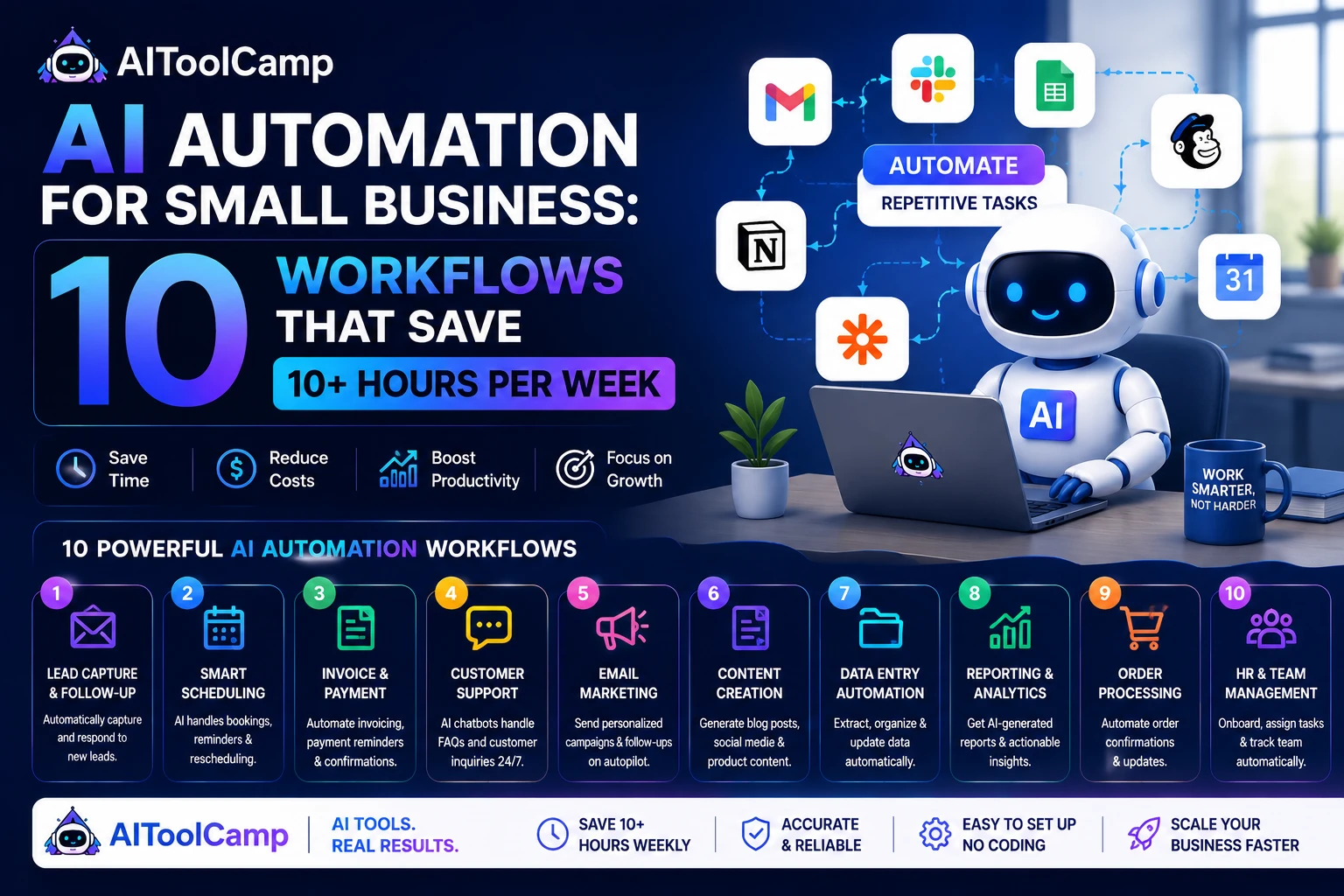
Running a small business in 2026 means competing with companies that have 10x your headcount but don’t necessarily have 10x your output — because the smart ones are using AI automation to fill the gap. If you’re still writing every follow-up email by hand, posting to social media manually, or copy-pasting leads into a spreadsheet, you are spending real money on tasks that a $0–$29/month tool could handle automatically.
AI automation for small business is no longer a technical luxury reserved for funded startups. No-code platforms like Zapier, Make, and n8n have made it possible for any business owner — regardless of technical skill — to build powerful, multi-step automations in an afternoon. The result is less time on repetitive work and more time on the things only you can do: building relationships, making decisions, and growing the business.
In this guide, we break down the 10 highest-impact AI automation workflows for small businesses in 2026, complete with step-by-step setup instructions, tool recommendations, and exact time savings backed by real data. Whether you’re a solo founder or a team of 10, at least 5 of these will apply to your business right now.
Before diving in, explore the AI Tools Directory on AIToolCamp to find reviewed, rated automation tools organized by use case.
What Is AI Automation for Small Business?
| Definition: AI Automation for Small Business |
| AI automation for small business is the use of artificial intelligence and no-code workflow tools to automatically handle repetitive, time-consuming business tasks — such as lead capture, email follow-up, social media posting, invoicing, and customer support — without manual effort. |
| Instead of a human performing the same action hundreds of times per week, an AI-powered automation watches for a trigger (e.g. a new form submission), then carries out a defined sequence of actions (e.g. add to CRM, send welcome email, notify the sales team) — instantly, every time, without error. |
| Key tools: Zapier, Make (formerly Integromat), n8n, Bardeen, and Relay.so. |
The key distinction between basic automation and AI automation is the intelligence layer. Traditional automation follows rigid if-then rules. AI automation adds a layer of reasoning — tools can classify leads, generate personalized email copy, summarize support tickets, and make routing decisions based on context — not just conditions.
For a small business, this means your systems can handle nuanced tasks that previously required a human decision, at scale, around the clock.
Why AI Automation Is a Competitive Advantage for Small Businesses
Large enterprises have always had an automation advantage — dedicated IT teams, expensive software licenses, and developers to build custom integrations. In 2026, that advantage has effectively disappeared for most business functions. Here is why small businesses now benefit most from AI automation:
1. Limited Team, Unlimited Output
A 3-person team running AI automation can produce the output of a 6–8 person team for routine tasks. Lead nurturing, content scheduling, customer onboarding, and reporting can all run without anyone touching them — freeing your actual team for high-value work.
2. Cost Savings Are Dramatic
According to McKinsey’s 2024 State of AI report, companies adopting AI automation in their operations reduced process costs by 20–40% within the first year. For small businesses spending $3,000–$8,000/month on operations, that’s $600–$3,200 recovered monthly — far exceeding the $30–$150/month cost of automation tools.
3. Consistency and Zero Human Error
Automated workflows don’t forget to follow up with a lead, don’t miss a payment due date, and don’t send the wrong email template. Consistency is a competitive moat, and AI automation delivers it at zero extra cost per task.
4. The Time Value Calculation
| 💰 Time = Money: The ROI Math |
| If your hourly value (or your team’s average) = $25/hour |
| And AI automation saves you 10 hours/week… |
| That’s $250/week saved = $1,000/month = $13,000/year |
| Most small business automation tool stacks cost $50–$150/month total. |
| ROI in the first month: 600–1,900% depending on hours recovered. |
Best AI Automation Tools for Small Business (2026 Comparison)
Before we walk through each workflow, here are the core platforms you will use. Think of these as the ‘automation engine’ that connects your existing apps and makes the workflows below possible.
| Tool | Best For | Free Plan? | Paid From | Complexity |
| Zapier | Beginners & simple automations | Yes (5 Zaps) | $19.99/mo | Easy |
| Make | Complex multi-step workflows | Yes (1,000 ops) | $9/mo | Medium |
| n8n | Developers & self-hosted (free forever) | Yes (self-host) | $20/mo | Medium-High |
| Bardeen | Browser-based task automation | Yes | $10/mo | Easy |
| Relay.so | Team workflows with human-in-the-loop | Yes | $9/mo | Easy |
| Zapier AI | AI-enhanced decision workflows | Limited | $49/mo | Medium |
Recommendation: Start with Make if you’re building more than 3 automations — it offers far more power than Zapier at a lower price point, with a generous free tier. Use Zapier only if you need a specific integration that Make doesn’t support. Browse our full AI automation tools category for detailed reviews.
10 AI Automation Workflows for Small Business (With Step-by-Step Setup)
Each workflow below includes: the problem it solves, the tools required, exact setup steps, setup time, and realistic weekly hours saved. Implement them in order of impact.
Workflow 1: Lead Capture to CRM Automation
| ⏱ Time Saved: 3–4 hrs/week | Setup Time: 30 mins | Difficulty: Easy |
| Tools needed: Typeform or Google Forms + Make or Zapier + HubSpot, Pipedrive, or any CRM |
The Problem
Every time a prospect fills out your contact form, demo request, or lead magnet download, someone has to manually copy their information into your CRM, assign an owner, and trigger the first outreach. For high-volume businesses, this is 2–5 minutes per lead, dozens of times per week.
The Automation Blueprint
| 1 | Trigger: New form submission received
Your form tool (Typeform, Google Forms, or your website contact form) detects a new entry and sends the data to your automation platform. |
| 2 | Action: Create or update contact in CRM
Make/Zapier maps the form fields (name, email, company, message) to your CRM fields and creates a new contact record automatically. |
| 3 | Action: AI lead scoring
Use ChatGPT or Claude via API to analyze the lead’s message and company size, then assign a score (Hot / Warm / Cold) and add it as a CRM tag. |
| 4 | Action: Assign lead owner
Based on the lead score or territory, the automation assigns the contact to the right sales rep in your CRM. |
| 5 | Action: Send internal Slack/email notification
Your sales team gets an instant notification with the lead’s details, score, and a one-click link to the CRM record. |
| 6 | Action: Trigger welcome email sequence
The lead is automatically enrolled in a 3-email nurture sequence in your email platform (Mailchimp, Klaviyo, ActiveCampaign). |
Real Business Result: A B2B SaaS company with 40 inbound leads/week recovered 3.2 hours/week after implementing this workflow — plus increased their lead response time from 4 hours to under 3 minutes, which increased demo booking rates by 22%.
Workflow 2: AI Email Follow-Up Sequence Automation
| ⏱ Time Saved: 2–3 hrs/week | Setup Time: 45 mins | Difficulty: Easy |
| Tools needed: Email platform (Mailchimp / ActiveCampaign / Klaviyo) + OpenAI API or Jasper |
Writing personalized follow-up emails is one of the highest-value tasks a salesperson or founder can do — and also one of the most time-consuming when done manually. AI automation solves this by generating personalized email drafts using the lead’s data from your CRM, then sending them through your email platform on a defined schedule.
Setup Steps
- Connect your CRM to your email platform via Make or Zapier.
- Build a 3-email sequence template with personalization placeholders: {{first_name}}, {{company}}, {{pain_point}}.
- Add an OpenAI step in Make that takes the lead’s CRM data and generates a personalized first line for each email (this single step dramatically increases open rates).
- Set delay intervals: Email 1 immediately, Email 2 after 3 days, Email 3 after 7 days.
- Add a condition: if the prospect replies or books a meeting, remove them from the sequence automatically.
For detailed tool reviews, see our AI writing tools for email marketing category.
Workflow 3: Social Media Content Automation
| ⏱ Time Saved: 2–3 hrs/week | Setup Time: 1 hr | Difficulty: Easy-Medium |
| Tools needed: Buffer or Publer + Make + ChatGPT API + your blog/RSS feed |
Most small business owners know they should be posting consistently on LinkedIn, Instagram, or Twitter — but content creation and scheduling eat time they don’t have. This workflow monitors your blog RSS feed, generates social-ready captions with AI, and schedules posts automatically.
Setup Steps
- Set up an RSS trigger in Make that fires whenever a new blog post is published on your website.
- Add a ChatGPT step: pass the blog title and excerpt, prompt it to write 3 platform-specific captions (one for LinkedIn, one for Twitter/X, one for Instagram).
- Add image generation if needed: use DALL-E or Canva API to create a social card automatically.
- Connect to Buffer or Publer and schedule posts for optimal send times on each platform.
- Set a secondary workflow: if the post gets more than 50 likes on LinkedIn, automatically boost it with an email blast to your newsletter subscribers.
Explore our full list of AI marketing tools for small business for more options.
Workflow 4: Customer Support Triage with AI Chatbot
| ⏱ Time Saved: 4–6 hrs/week | Setup Time: 2 hrs | Difficulty: Medium |
| Tools needed: Tidio, Intercom, or Crisp + ChatGPT API + your help documentation |
Answering the same 20 customer questions repeatedly is one of the biggest time drains for small business owners. An AI chatbot trained on your documentation, FAQs, and product information can resolve 60–80% of customer queries without human involvement — instantly, at 3 AM, without burning out.
Setup Steps
- Choose a chatbot platform: Tidio (easiest for e-commerce), Intercom (best for SaaS), or Crisp (best free tier).
- Upload your FAQ document, return policy, pricing page, and product information as training data.
- Connect the chatbot to ChatGPT or Claude via API for open-ended questions it wasn’t specifically trained on.
- Set escalation rules: if the customer uses words like ‘refund’, ‘complaint’, ‘urgent’, or ‘cancel’, immediately escalate to a human agent with the full conversation context.
- Connect to your CRM: every chatbot conversation is logged as a customer activity automatically.
A 3-person e-commerce store that implemented an AI support chatbot reduced average email response time from 6 hours to under 8 minutes and cut support-related work by 5 hours per week — while customer satisfaction scores actually improved by 14%.
Workflow 5: Invoice and Payment Processing Automation
| ⏱ Time Saved: 1.5–2 hrs/week | Setup Time: 30 mins | Difficulty: Easy |
| Tools needed: QuickBooks, FreshBooks, or Wave + Stripe or PayPal + Make |
Chasing invoices, sending payment reminders, and reconciling payments manually are the kinds of tasks that feel urgent but add zero value. This workflow automates the entire invoicing cycle from project completion to payment confirmation.
Setup Steps
- Trigger: project marked as ‘complete’ in your project management tool (Trello, Asana, or Notion).
- Auto-generate invoice in QuickBooks or FreshBooks using the project details, hours logged, and client rate.
- Send invoice to client via email automatically with a Stripe or PayPal payment link.
- Set reminder sequence: if unpaid after 7 days, send reminder. If unpaid after 14 days, send firmer reminder with late fee notice.
- On payment received: update project status, send receipt, trigger a ‘thank you’ email, and log the transaction in your accounting software.
Workflow 6: Content Creation Pipeline Automation
| ⏱ Time Saved: 4–6 hrs/week | Setup Time: 1.5 hrs | Difficulty: Medium |
| Tools needed: Ahrefs or Semrush (keyword data) + ChatGPT API + WordPress + Surfer SEO |
Publishing consistent, SEO-optimized blog content is the single highest-ROI marketing activity for most small businesses — and also the one most commonly abandoned because it takes too long. This workflow automates the content research, first-draft generation, and publishing pipeline.
Setup Steps
- Weekly trigger: pull your top 5 keyword opportunities from Ahrefs or Semrush via API.
- For each keyword: send to ChatGPT with a detailed prompt that includes your brand voice, target audience, content structure requirements (H1, H2, FAQ), and word count.
- Pass the draft through Surfer SEO’s Content Editor API to optimize for on-page SEO automatically.
- Post to WordPress as a draft (never publish AI content directly — always review first).
- Send a Slack notification to your content reviewer with a direct link to the draft, the target keyword, and the Surfer SEO score.
This workflow cuts content production time from 4–6 hours per article to 30–45 minutes of review and editing. See our AI writing tools directory for the best tools to pair with this workflow.
Workflow 7: Sales Outreach and Follow-Up Automation
| ⏱ Time Saved: 3–5 hrs/week | Setup Time: 1 hr | Difficulty: Medium |
| Tools needed: Apollo.io or Hunter.io + ChatGPT API + HubSpot or Pipedrive + Lemlist or Instantly |
Cold outreach is a numbers game — but generic cold emails don’t work. AI automation solves both problems: it handles the volume while using AI to personalize each message based on the prospect’s industry, company size, recent news, or LinkedIn activity.
Setup Steps
- Define your ideal customer profile (ICP) and pull a list of matching companies from Apollo.io or LinkedIn Sales Navigator.
- For each prospect: use ChatGPT to research their company (pass their website URL + LinkedIn URL) and generate a 2-sentence personalized opening line referencing something specific to them.
- Merge the personalized opening with your email template in Lemlist or Instantly and schedule the send.
- Set up a 4-step follow-up sequence that pauses automatically when a prospect replies.
- Sync all activity (opens, replies, clicks) back to your CRM in real time.
Workflow 8: No-Code App Integration (Connect Everything)
| ⏱ Time Saved: 3–5 hrs/week | Setup Time: 2 hrs | Difficulty: Medium |
| Tools needed: Make or Zapier as the central hub, connecting all your existing tools |
One of the biggest productivity leaks in small businesses is data that lives in silos — leads in one tool, conversations in another, tasks in a third. No-code integration automation connects all your tools so information flows automatically between them, without any manual copying or switching tabs.
Example Master Workflow
- New blog post published on WordPress →
- Automatically post to LinkedIn, Twitter/X, and Facebook via Buffer →
- Send to newsletter subscribers via Mailchimp →
- Add the post URL to your content tracker in Notion →
- Update the relevant CRM contacts who expressed interest in that topic →
- Log the content in your SEO tracking sheet in Google Sheets.
This single master workflow replaces 6 manual tasks that previously required 45–60 minutes every time a piece of content was published.
Workflow 9: SEO Monitoring and Reporting Automation
| ⏱ Time Saved: 2–3 hrs/week | Setup Time: 45 mins | Difficulty: Easy-Medium |
| Tools needed: Google Search Console API + Make + Google Sheets + Slack or Email |
Manual SEO reporting — pulling data from Search Console, Analytics, and Ahrefs, then formatting it into a report — is pure overhead. This workflow automates weekly SEO performance reports and sends them to your inbox or Slack every Monday morning.
Setup Steps
- Connect Google Search Console API to Make. Pull weekly data: total clicks, impressions, average position, and top 10 queries.
- Connect Google Analytics 4 API to pull organic traffic, bounce rate, and top landing pages.
- Pass all data to a ChatGPT step with the prompt: ‘Analyze this SEO data and write a 5-bullet executive summary with the key wins, drops, and recommended action for next week.’
- Populate a Google Sheets dashboard automatically with all raw data.
- Send the AI-written summary + a link to the Google Sheet to your Slack channel or email every Monday at 8 AM.
Workflow 10: AI-Powered Graphic Design Automation
| ⏱ Time Saved: 2–4 hrs/week | Setup Time: 1 hr | Difficulty: Medium |
| Tools needed: Canva API or Adobe Express API + ChatGPT API + Make |
Every blog post, social media update, email campaign, and product launch needs visual assets. Creating them manually in Canva or Photoshop takes 20–45 minutes per design. This workflow generates branded visual assets automatically whenever new content is created or a new campaign is launched.
Setup Steps
- Build master templates in Canva for each asset type: blog header, Instagram post, LinkedIn banner, email header.
- Connect Canva’s API to Make. When a new blog post is detected (via WordPress webhook), pass the title and category to the Canva template.
- Canva automatically generates a branded image with the post title, your logo, and the correct color scheme.
- The generated image is saved to your Google Drive and automatically set as the WordPress featured image.
- Simultaneously, platform-sized versions are sent to your Buffer queue for social publishing.
For more tools that automate design, visit our AI design tools category on AIToolCamp.
What a Fully Automated Small Business Looks Like in 2026
When you stack these 10 workflows together, you have built what effectively functions as a fully automated operating system for your business. Here is what a typical day looks like for a small business owner who has implemented all 10:
| 📋 A Day in the Life of an Automated Small Business |
| 6:00 AM — SEO performance report automatically arrives in Slack. No manual pulling of data. |
| 8:00 AM — 3 social media posts auto-published from last week’s blog content. No scheduling work. |
| 9:00 AM — 2 new leads from the website overnight. Both already in CRM, scored, assigned, and sent a welcome email. Zero manual work. |
| 10:00 AM — AI chatbot handled 14 customer questions overnight. 2 escalated to you. 12 resolved without human involvement. |
| 12:00 PM — New blog post AI draft waiting for your 30-minute review in WordPress. Research and writing done automatically. |
| 3:00 PM — Invoice automatically sent to a client whose project was marked complete yesterday. Payment reminder sequence started. |
| 5:00 PM — Weekly analytics report auto-generated with an AI summary of what worked and what to improve next week. |
| Total active time on these tasks: ~1.5 hours. Without automation: 8–12 hours. |
Realistic Timeline: What to Expect Month by Month
AI automation is not an overnight transformation. Here is what a realistic implementation timeline looks like for a small business owner starting from scratch:
| Timeline | What to Set Up | Expected Result |
| Week 1–2 | Lead capture + CRM automation (Workflow 1) | 3–4 hrs/week saved immediately. Zero missed leads. |
| Week 3–4 | Email follow-up sequence + support chatbot (Workflows 2 & 4) | 5–7 hrs/week saved. Faster response times. |
| Month 2 | Social automation + content pipeline (Workflows 3 & 6) | 8–10 hrs/week saved. Consistent content output. |
| Month 2–3 | Sales outreach + invoice automation (Workflows 5 & 7) | 10–13 hrs/week saved. Revenue processes running. |
| Month 3–4 | Integration hub + SEO reporting (Workflows 8 & 9) | Full system connected. Reporting on autopilot. |
| Month 4–6 | Design automation + optimization (Workflow 10 + refinements) | 12–18 hrs/week saved. Full automated business OS. |
5 Common AI Automation Mistakes Small Businesses Make
Most businesses that fail to see results from automation make one of these five mistakes. Avoid them and you will be ahead of 90% of your competitors.
Mistake 1: Automating Without a Strategy
Automation is not a goal — it’s a tool. Before you build any workflow, define what you’re trying to achieve: more leads, faster response times, more content, fewer admin hours. Build automations that directly serve a measurable business objective, not just because a tool looks impressive.
Mistake 2: Using Too Many Disconnected Tools
A common trap is signing up for 10 different AI tools that don’t talk to each other. This creates a more complex, fragmented system than what you started with. Choose a central automation hub (Make or Zapier) and build all your workflows through it. Every tool you add should connect through the hub.
Mistake 3: Expecting Instant Results
AI automation compounds over time. The first week you save 3 hours. After 3 months, you have saved 150+ hours and the system is smarter and more refined. Set realistic expectations and track your time savings weekly so you can see the compounding effect.
Mistake 4: Automating Bad Processes
Automating a broken process just makes it break faster at scale. Before you automate any workflow, document the manual process and fix any problems in it first. Then automate the improved version. Never automate chaos.
Mistake 5: Not Reviewing AI-Generated Content
This applies especially to email outreach, blog content, and customer communications. AI tools generate excellent first drafts — but they hallucinate, make factual errors, and occasionally miss your brand tone. Always build a human review step into any workflow that produces customer-facing content.
Who Should Use AI Automation? (And Who Should Start Slowly)
Ideal Candidates for Full AI Automation
- E-commerce stores with repetitive order, support, and marketing workflows
- SaaS businesses with recurring lead gen, onboarding, and billing cycles
- Marketing agencies managing multiple clients and content calendars
- Freelancers and consultants who want to look like a full team
- Local service businesses (real estate, law, dentistry) with appointment and follow-up needs
Start With Just 1–2 Automations If You Are:
- A brand-new business still defining your processes and customer journey
- In a highly regulated industry where automated communications require legal review
- Running a business where every customer interaction requires deep personalization (luxury goods, bespoke services)
Related Tools and Resources
The 10 workflows above reference dozens of individual tools. Use these resources to find the best option for your specific stack:
→ AI CRM Tools: Browse the best AI-powered CRM tools for small business — covering HubSpot AI, Pipedrive, and alternatives.
→ AI Writing Tools: Best AI writing tools for email and content marketing — including Jasper, Copy.ai, and Claude.
→ AI Marketing Tools: Full directory of AI marketing tools — social, email, SEO, and paid ads automation.
→ AI Design Tools: Top AI graphic design tools — for automating visual asset creation.
External reading: Zapier’s Small Business Automation Guide provides excellent platform-specific tutorials. The McKinsey Global AI Report 2024 provides the enterprise data that validates the ROI claims in this article. For Make-specific tutorials, the Make Academy is free and comprehensive.
Frequently Asked Questions
These are the questions Google surfaces most often for ‘AI automation for small business’ — optimized for People Also Ask and featured snippet placement.
Q1: What is the best AI automation tool for small business in 2026?
| Answer |
| The best AI automation tool for small business in 2026 depends on your needs. For beginners: Zapier is easiest to use with 6,000+ app integrations and a free tier. For power users: Make (formerly Integromat) offers more complex workflow logic at a lower price point. For technical teams that want free forever: n8n is open-source and self-hosted. Most small businesses should start with Make — it handles 90% of use cases at $9/month. |
Q2: How much does AI automation cost for a small business?
| Answer |
| AI automation costs for small business range from $0 to $200/month depending on the tools and volume. Most small businesses need a stack of: Make or Zapier ($9–$20/mo) + an AI API like ChatGPT ($5–$20/mo in usage) + their existing business tools. Total: $30–$80/month for a fully automated system. Compare this to hiring a part-time admin ($800–$1,500/month) to do the same tasks manually. |
Q3: How long does it take to set up AI automation for a small business?
| Answer |
| Simple automations (e.g. form to CRM) take 20–30 minutes to set up. Complex multi-step workflows (e.g. full content pipeline or sales outreach system) take 2–4 hours. Most small business owners can build their first 3 core automations in a single weekend. The time investment upfront pays back within the first 1–2 weeks of operation. |
Q4: Can AI automation replace employees in a small business?
| Answer |
| AI automation doesn’t replace employees — it eliminates the repetitive, low-value tasks so your existing team focuses on high-value work. For solopreneurs, automation effectively gives you the output capacity of a 2–3 person team for routine processes. For teams, it typically means you can scale output without your next hire being an admin role. The human element remains essential for strategy, relationships, and creative decision-making. |
Q5: What business tasks can AI automate for small businesses?
| Answer |
| AI can automate these small business tasks in 2026: (1) Lead capture and CRM entry, (2) Email follow-up sequences, (3) Social media scheduling and caption writing, (4) Customer support via chatbot, (5) Invoice generation and payment reminders, (6) Blog content drafts and SEO optimization, (7) Sales outreach personalization, (8) Cross-tool data synchronization, (9) SEO and analytics reporting, (10) Graphic design asset generation. Together, these workflows save 10–20 hours per week for most small businesses. |
Final Verdict: Start With These 3 Workflows First
If implementing all 10 workflows feels overwhelming, start here. These three deliver the highest ROI for the least setup time:
| 1 | Lead Capture to CRM (Workflow 1)
30-minute setup. Saves 3–4 hours/week immediately. Zero leads will slip through your fingers again. |
| 2 | Email Follow-Up Sequences (Workflow 2)
45-minute setup. Saves 2–3 hours/week. Your leads get nurtured even when you’re sleeping. |
| 3 | Customer Support Chatbot (Workflow 4)
2-hour setup. Saves 4–6 hours/week. Your customers get answers 24/7 without you lifting a finger. |
Once these three are running smoothly and you’ve experienced the compounding value of automation, add the remaining workflows one at a time. Within 3–4 months, you’ll have a business that runs more efficiently than most 10-person teams.
AI automation is not the future of small business — it’s the present. Businesses that adopted it in 2023–2024 already have a compounding advantage in speed, cost, and output. The best time to start was last year. The second best time is today.
Ready to find the exact tools for your automation stack? Browse the full AI Tools Directory at AIToolCamp.com — every tool is reviewed, rated, and categorized by use case. No fluff, no paid placements.